Solvro vs Verve AI: core features
| Solvro | Verve AI | |
|---|---|---|
| Runs as | Desktop app (Windows, macOS) | Web app with a Chrome extension, desktop app (Windows, macOS) and iPhone |
| Automatic question detection | Yes | Yes |
| Behavioural, technical and coding rounds | Yes | Yes |
| Personalised answers | Resume, job description, extra context, instructions | Resume and job description |
| Coding questions | Up to 20 screenshots per question | 1 screenshot at a time |
| Controls | Reassignable global hotkeys | Clicks in the browser; hotkeys such as Ctrl+K in the desktop app |
| Programming languages | 10+ | 20+ |
| Models | Gemini 3.7 Flash, Gemini 3.1 Pro, Claude Sonnet 5, Claude Opus 5 and Claude Fable 5 | 20+, some Pro-only |
| Spoken languages | English | 35+, no bilingual interviews |
Verve AI started in the browser, and its earlier setup ran through a Chrome extension. Its desktop app for Windows and macOS now adds Snap & Solve screenshots, hotkeys and a stealth mode, features Verve says are only in the desktop app.
Screen sharing
How Verve AI behaves in a screen share depends on which version you run.
In the browser, the extension is pinned to the toolbar and you click it to generate answers.
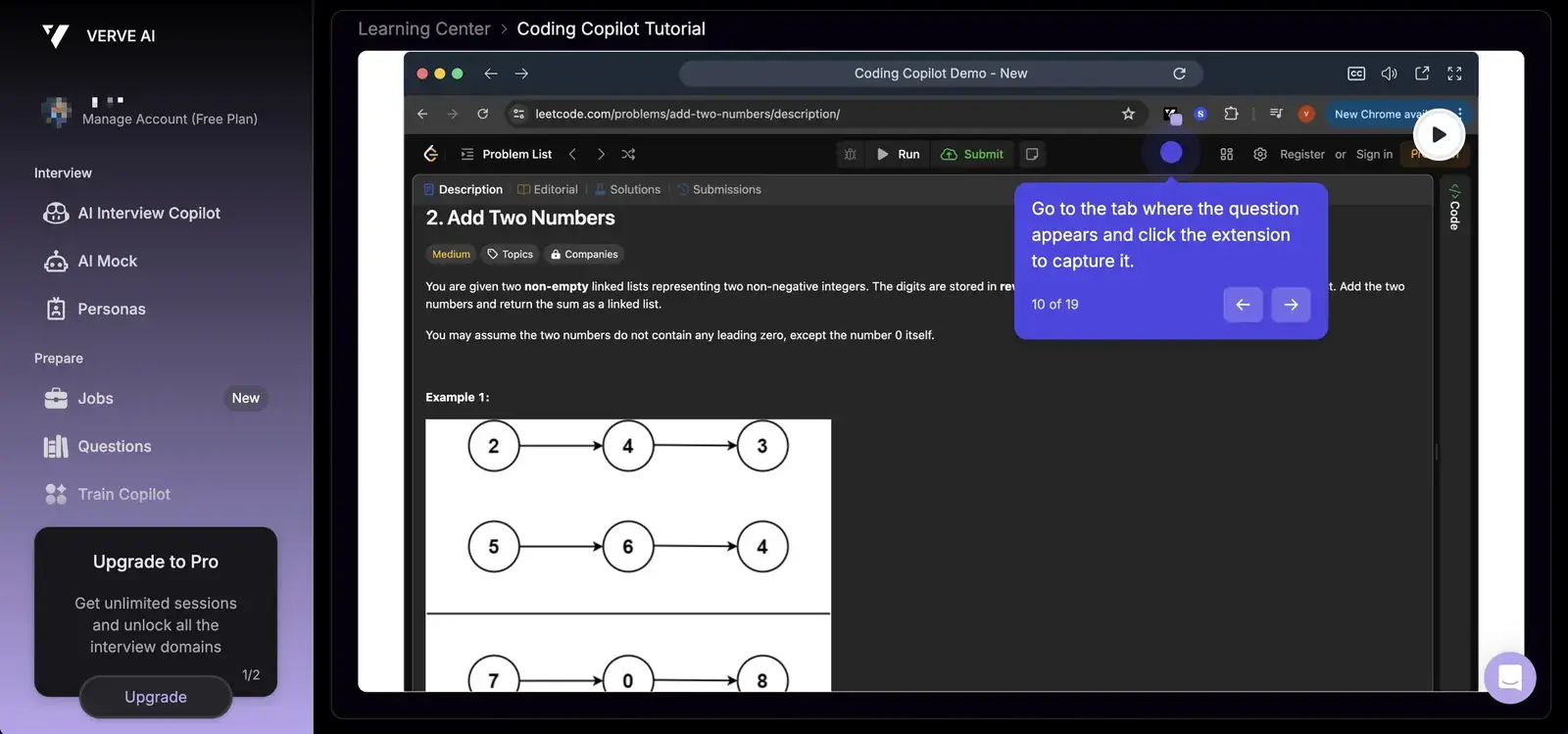
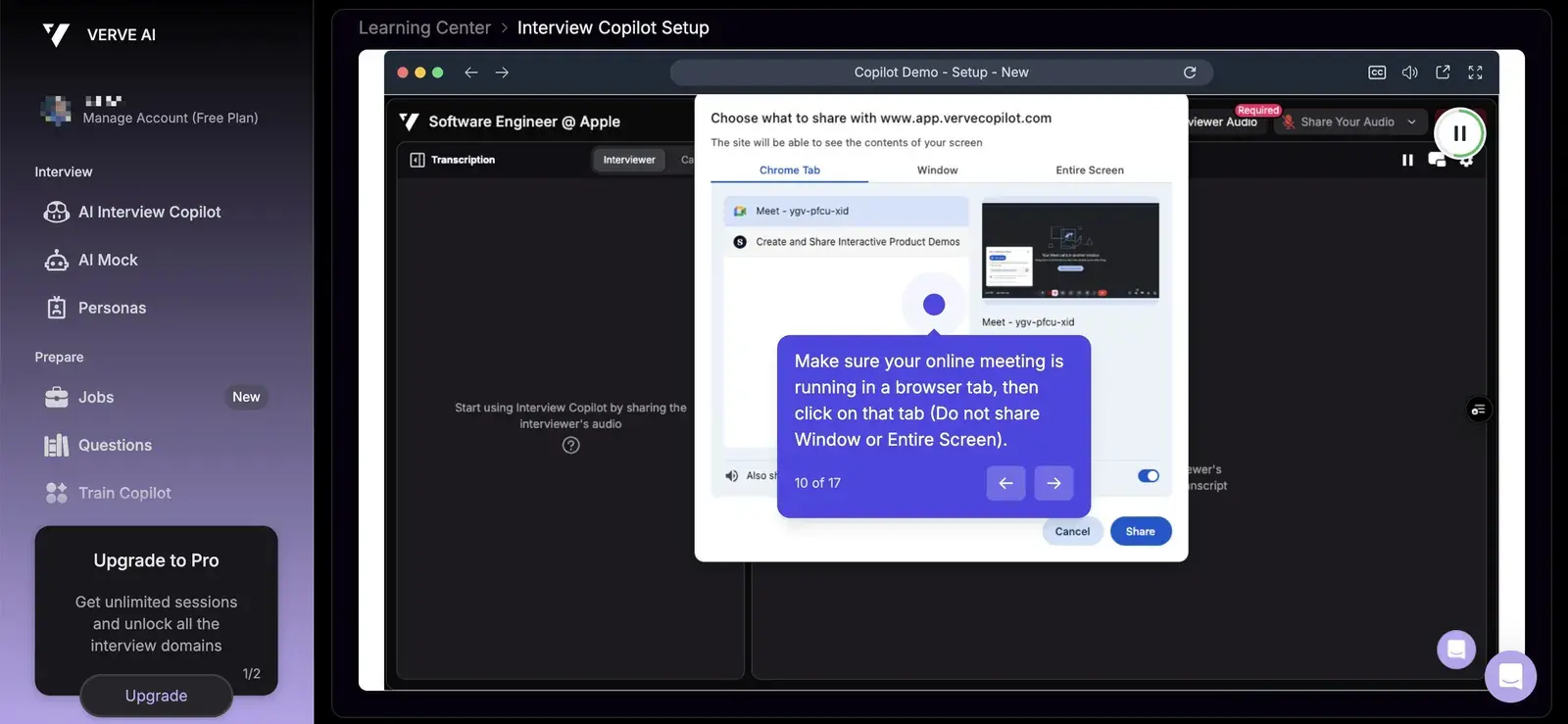
Its own setup guide asks you to share a single browser tab and warns against choosing "Window" or "Entire Screen".
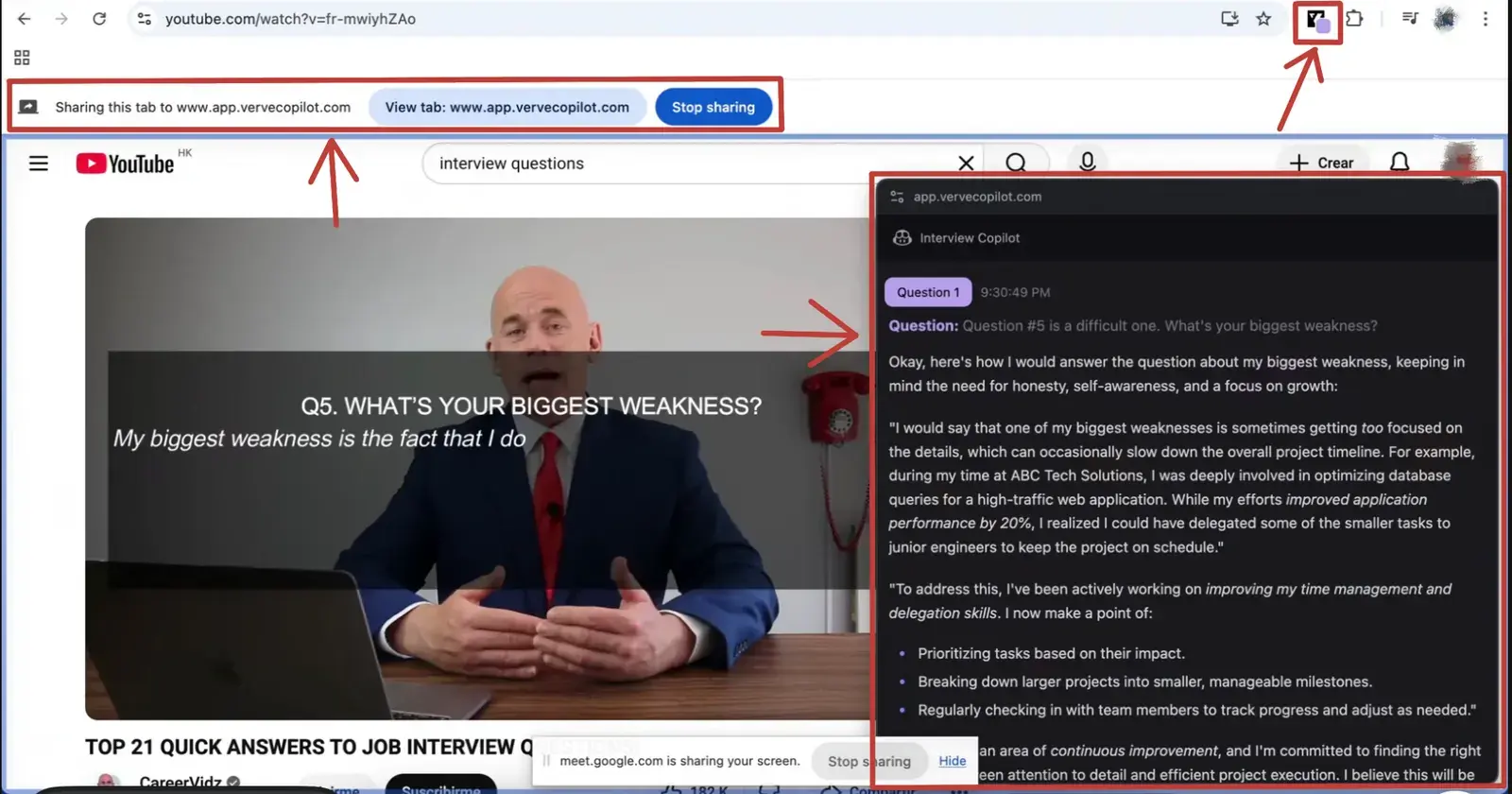
In a reviewer's test of the browser setup with the whole screen shared, the extension icon, the sharing bar and the answer panel were all visible to the other side.
On the desktop, Verve AI has a stealth mode that it says keeps the app visible only to you during screen sharing.
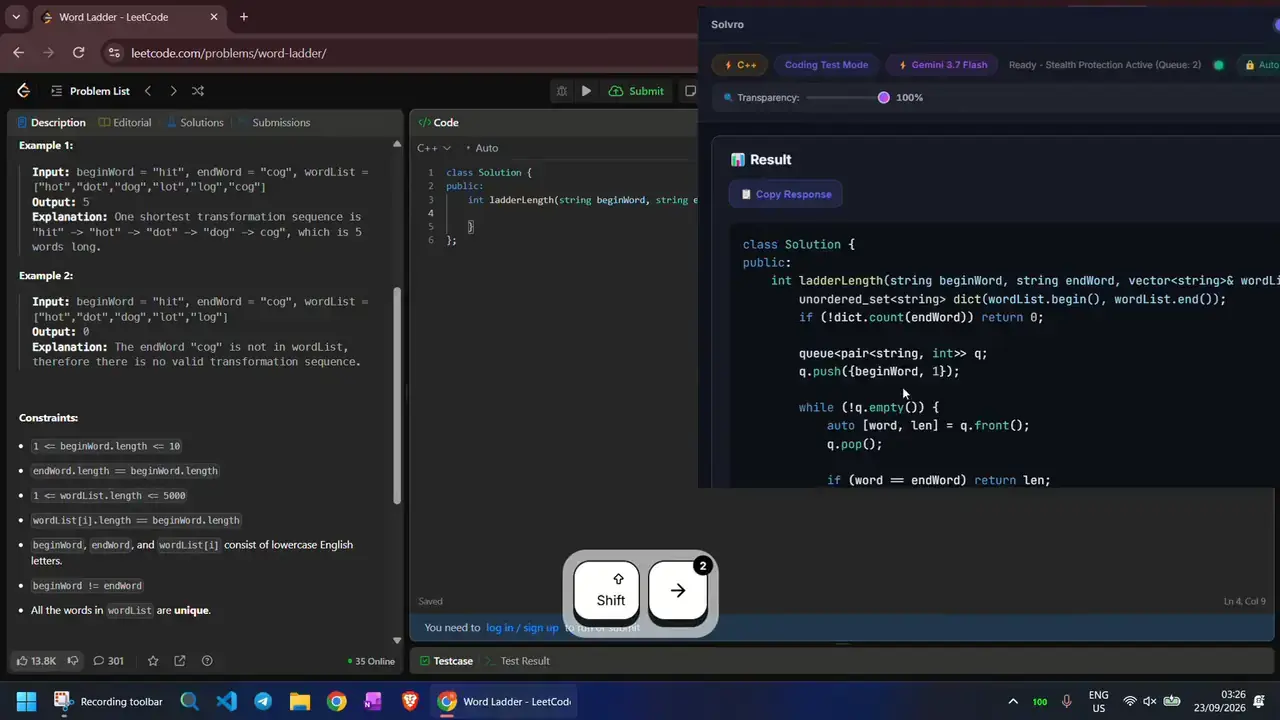
Solvro has a single setup: a desktop window outside the browser, and it sets the operating system's content-protection flag, which excludes that window from screen capture and recording. Nothing is pinned to the browser and nothing needs clicking: CtrlShiftS captures, CtrlEnter sends, CtrlSpace hides.
Check the rules first
Most employers and assessment platforms prohibit outside help in their terms. Solvro keeps its window out of screen captures, but no tool can promise it will never be noticed, and breaking those rules can cost you an offer. Decide for yourself whether that risk is worth taking.
Coding interviews
Verve's coding copilot takes one screenshot at a time. Solvro's Coding Test mode queues up to 20 captures and sends them as one question, which matters when a problem's description, examples and constraints sit on different screens. Answers include the approach and its complexity, then the code, which CtrlShiftT can type into the editor with human timing.
Platforms

Verve AI works with the main meeting and assessment platforms: in the browser through Google Chrome, and on the desktop beside Zoom, Amazon Chime, Google Meet, Microsoft Teams and Webex. Solvro runs beside any app or browser: Zoom, Microsoft Teams, Google Meet, Webex, HackerRank, LeetCode, CoderPad and more.
Answer style
Verve AI lets you pick answer length and tone in its Copilot Style settings. Solvro takes free-form custom instructions in Settings, for example "lead with a one-line answer, then three bullets", plus your resume, the job description and extra context such as a career change.
Pricing
Verve AI has a free plan with three 15-minute copilot sessions, and two paid tiers:
| Verve AI | Monthly | Quarterly (per month) | Yearly (per month) |
|---|---|---|---|
| Standard (5 one-hour sessions a month) | $38.25 | $34 | $14.45 |
| Pro (unlimited, sessions up to 90 minutes) | $59.50 | $51 | $25.50 |
Solvro has no session caps on its plans:
| Plan | Price | Billing | What you get |
|---|---|---|---|
| Pro | $29/mo | Billed monthly ($29). | Gemini models, every mode except Interview |
| Pro (quarterly) | $19/mo | $57 billed every 3 months. | Same as Pro monthly |
| Pro+ | $49/mo | Billed monthly. | All five models, all four modes including Interview |
| Pro+ (quarterly) | $39/mo | $117 billed every 3 months. | Same as Pro+ monthly |
| Eternal Pass | $29/mo | $348 billed yearly. | All Pro+ features for a full year |
| Sprint Pass | $24 once | 7-day access. | All Pro+ features for 7 days, no subscription |
| Free trial | $0 | No card required | 10 AI answers and 10 minutes of Interview mode |
Prices in USD; customers in India are charged the rupee equivalent. Full details on the pricing section.
Our verdict
For most candidates, Solvro is the better choice, especially when the interview includes a coding round.
- Up to 20 screenshots per question, against one at a time.
- No session caps on any plan, where Verve AI Standard includes 5 sessions a month.
- Auto-typing with human timing, and a reassignable shortcut for every action.
Verve AI may still suit you if your interviews are in another language (it supports 35+) or you want mock interviews in the same product.
Competitor plans, prices and features are summarised from public product pages and reviews and change often; check each vendor’s own site before you buy. Product names are trademarks of their owners. Solvro is not affiliated with or endorsed by them.
Frequently asked questions
For most candidates, especially with a coding round, Solvro: up to 20 screenshots per question, no session caps, auto-typing and a shortcut for every action. Verve AI suits other languages and built-in mock interviews.
It depends on the version. In the browser, Verve's setup guide asks you to share a single tab rather than a window or your entire screen. Its desktop app for Windows and macOS has a stealth mode that Verve says keeps it visible only to you during screen sharing.
Verve AI Standard (5 one-hour sessions a month) is $38.25 monthly, and Pro (unlimited) is $59.50 monthly, with lower per-month prices on quarterly and yearly billing. There is also a free plan with three 15-minute copilot sessions.
Yes. Solvro is a desktop app with a dedicated Coding Test mode, up to 20 screenshots per question, answers in over 10 programming languages and human-cadence auto-typing.
Verve AI configures answer style through a visual dashboard. Solvro uses a short Settings page and keyboard shortcuts; our setup guide takes about twenty minutes.