How a one-way video interview works
The details are set by each employer, but the pattern is the same across HireVue and its alternatives.
| Step | What happens | Typical range |
|---|---|---|
| Practice question | An unscored question to test your camera and microphone | Repeat as often as you like |
| The question | Shown as on-screen text, sometimes read out in a recorded video | One at a time |
| Prep time | A countdown before recording starts | From about 30 seconds to unlimited |
| Answer time | Your webcam records your answer | Often up to 3 minutes |
| Retakes | Whether you can record an answer again | Set by the employer, often none or one; the last take is submitted |
Because nobody is there to ask a follow-up, the whole answer has to stand on its own: a clear point, a specific example, a result.
Using the prep time with Solvro
When the question appears as text, use Query mode:
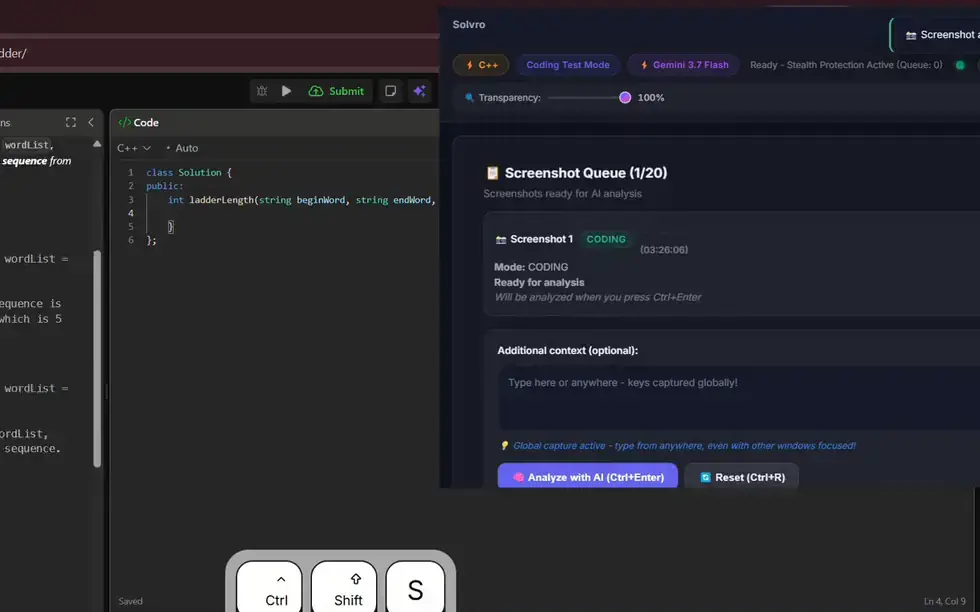
- Press CtrlShiftS to capture the question.
- Optionally type what you need, such as "STAR answer from my resume, about 90 seconds spoken".
- Press CtrlEnter. The answer appears in seconds, while the prep timer is still running.
When the question is read out in a video, Interview mode transcribes it from system audio and answers on its own, the same way it does in a live call.
Your resume, the job description and any extra context you saved in Settings travel with every question, so the example in the answer is one of yours, with your own numbers.
Shape answers for the timer
Most people speak at about 130 to 150 words a minute, so a timed answer has a word budget:
| Answer time | Roughly | A structure that fits |
|---|---|---|
| 60 seconds | 130 to 150 words | Point, one example, result |
| 90 seconds | 200 to 220 words | Situation, task, action, result, briefly |
| 3 minutes | 400 to 450 words | Full STAR answer, plus what you learned |
Save a custom instruction such as "Lead with a one-line answer, then STAR in four short bullets, under 200 spoken words" so every answer arrives at the right length. For more on STAR, see AI for behavioral interviews.
Delivering it on camera
- Use the prep time to read and plan. When the recording starts, talk to the camera from your plan, in your own words.
- Place the Solvro window just below the camera with the arrow shortcuts and fade it with CtrlShift[ and CtrlShift].
- Practise on the unscored question first, so the timer and the countdown hold no surprises.
- Keep it natural. A reviewer watching a recording notices a script more easily than an interviewer in a live call.
Coding and game-based sections
Some employers add a coding challenge or a game-based assessment to the same invitation. For coding questions, switch to Coding Test mode with CtrlShiftSpace: capture, send, and read the approach and the code. Game-based assessments test reaction and pattern-spotting in real time, which an AI assistant cannot help with, so treat them as your own.
Other one-way interview platforms
Spark Hire, VidCruiter, Willo and myInterview work the same way: a question on screen, a prep timer, a recorded answer. Because Solvro runs as a desktop app outside the browser, the steps above apply to all of them.
Check the rules first
Most employers and assessment platforms prohibit outside help in their terms. Solvro keeps its window out of screen captures, but no tool can promise it will never be noticed, and breaking those rules can cost you an offer. Decide for yourself whether that risk is worth taking.
Which plan you need
Text questions need only Query mode, which every paid plan includes, from $29 a month. Questions read out in a video need Interview mode, included in Pro+ from $49 a month and in the $24 Sprint Pass, which covers one week with no subscription.
Frequently asked questions
Yes. During the prep time, capture the on-screen question with Ctrl Shift S in Query mode and Solvro returns a structured answer in seconds, drawn from your resume and the job description. Check the employer's rules first.
The employer decides. Prep time ranges from about 30 seconds to unlimited, and answers are often limited to around 3 minutes. The practice question shows the timers before you start.
Only if the employer allows it, and often they allow none or one. The last take you record is the one that is submitted.
Query mode for questions shown as text, Interview mode for questions read out in a video, and Coding Test mode for coding challenges.
Yes. Spark Hire, VidCruiter, Willo and myInterview follow the same pattern, and Solvro runs as a desktop app outside the browser, so the same steps apply.