What to look for in an AI overlay
- Where it lives. A desktop window can be kept out of screen captures by the operating system; a browser tab or extension cannot.
- How it reads the question. Live audio for conversation, screenshots for coding problems, and ideally several screenshots for one long problem.
- Speed. General questions should come back in a second or two; coding problems in a few seconds.
- Control. Global hotkeys, adjustable opacity and a window you can move without the mouse.
- Personal answers. Your resume and the role, so answers sound like you.
- Languages. Python, Java, JavaScript, C++ and the rest.
1. Solvro
Solvro is a desktop overlay for Windows and macOS. Its window floats above the interview, and it sets the operating system's content-protection flag, which excludes it from screen capture and recording. It runs outside the browser, so it is not part of the page you are being tested on.
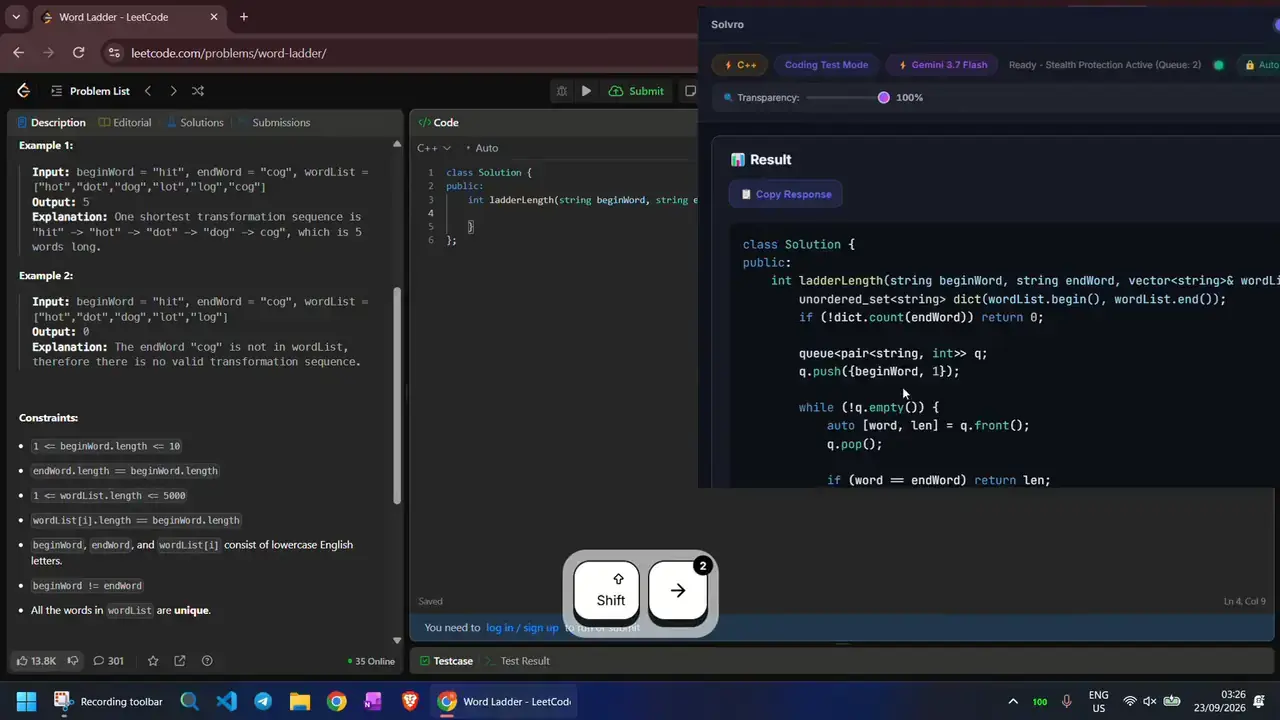
Reading the question. In Interview mode it transcribes the conversation and answers each question as it is asked. In Coding Test and MCQ modes, CtrlShiftS captures the screen; press it once per page of a long problem, up to 20 captures, then CtrlEnter sends them together. Query mode answers anything else you capture or type.
Control. Every action has a shortcut you can reassign: CtrlSpace hides the window, CtrlShift] and CtrlShift[ fade it, the arrow shortcuts move it, and CtrlUp / CtrlDown scroll a long answer.
Personal answers. Add your resume, the job description and custom instructions in Settings, and Interview mode draws on them.
Coding extras. Answers in over 10 programming languages, and auto-typing that types the solution with human timing instead of pasting it.
- Models: Gemini 3.7 Flash, Gemini 3.1 Pro, Claude Sonnet 5, Claude Opus 5 and Claude Fable 5.
- Price: Pro $29 a month (or $19 quarterly); Pro+ with Interview mode $49; Sprint Pass $24 for 7 days.
2. Final Round AI
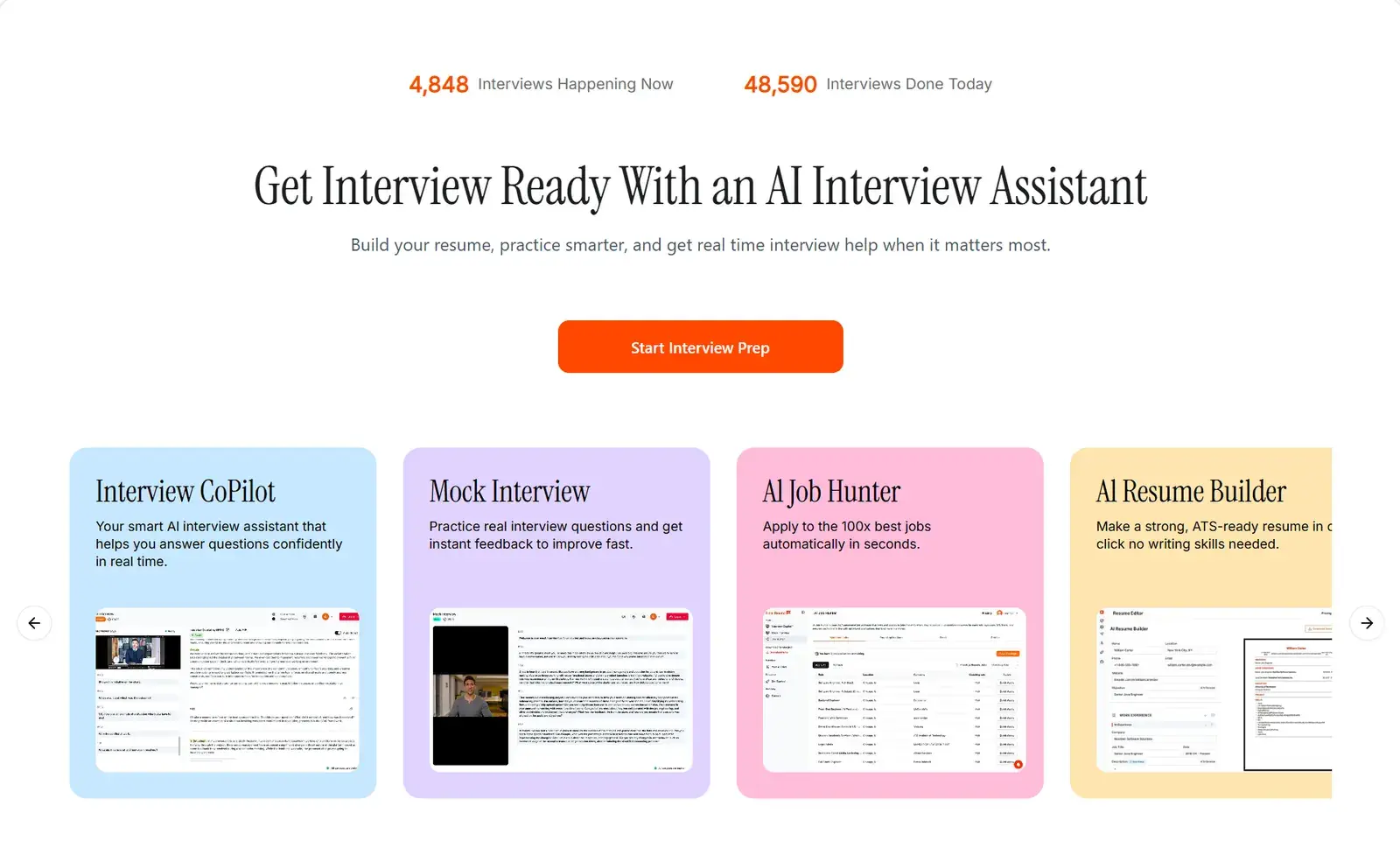
Final Round AI's overlay answers from your resume and work history, and the platform around it is the most complete of the five: model choice, a resume builder with keyword suggestions, and mock interviews with adjustable difficulty across many roles. Its copilot now runs in a desktop app for macOS and Windows, beside Zoom, HackerRank, CodeSignal, CoderPad, Amazon Chime or Teams.
- Strengths: features and customisation.
- Weaknesses: as a browser-based overlay it shows if you share your whole screen; reviewers report occasional glitches and answers that feel general.
3. Parakeet AI
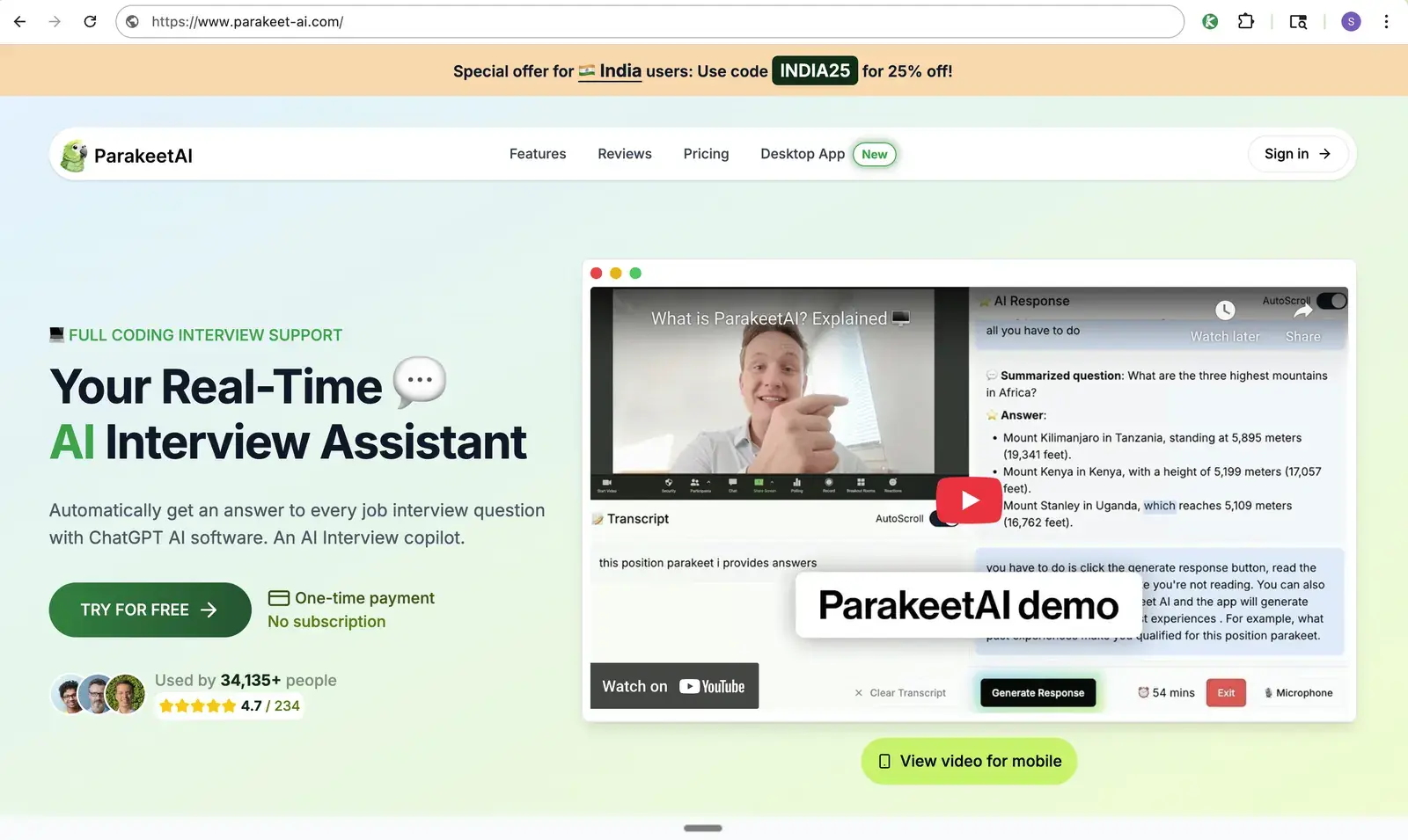
Parakeet AI's overlay is a desktop app with syntax-highlighted code. For coding problems it gives a step-by-step approach, then the complete code, then optimisation tips. It runs on models such as GPT-5, GPT-4.1 and Claude 4.
- Strengths: clear, structured coding answers.
- Weaknesses: mouse-only control with no global hotkeys; credit plans are time-limited per session.
4. Beyz AI
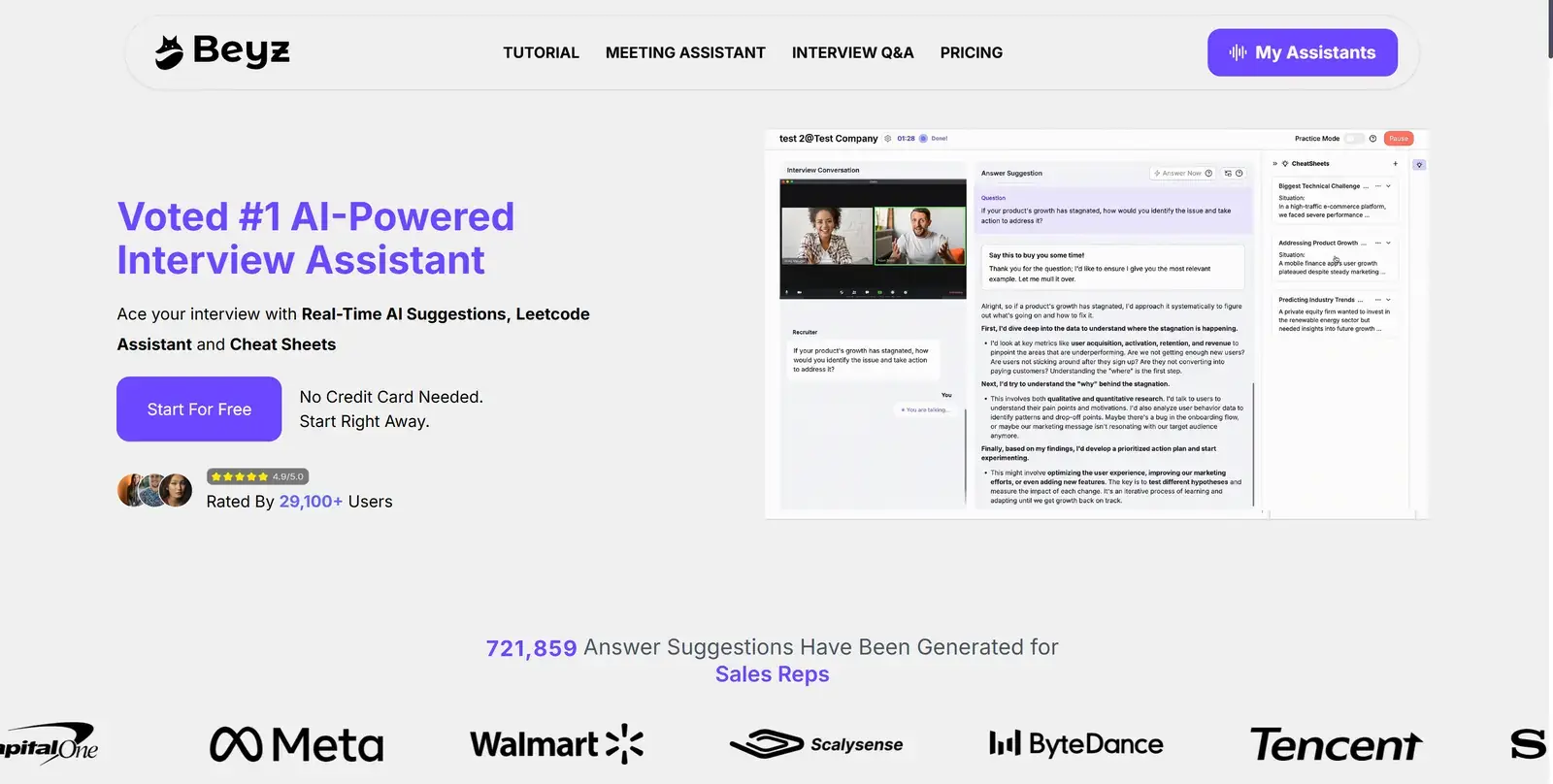
Beyz AI covers the whole process, from screening calls to coding rounds, and keeps every round in one place. Its transcription is fast and accurate, and its coding help covers logic, complexity and optimal solutions. Answers read naturally.
- Strengths: accurate transcription, one place for every round.
- Weaknesses: response time varies, and answers can sound junior for senior roles. More in our Beyz AI comparison.
5. LeetCode Wizard
LeetCode Wizard uses custom models trained on LeetCode-style questions. Its code reads more like a person wrote it, and every answer comes with a thorough step-by-step explanation.
- Strengths: human-looking code, explanations that teach the pattern.
- Weaknesses: built for LeetCode-style problems; on some platforms its fallback is a second device showing the answers, which some platforms (such as Coderbyte) detect.
Comparison
| Solvro | Final Round AI | Parakeet AI | Beyz AI | LeetCode Wizard | |
|---|---|---|---|---|---|
| Overlay type | Desktop window | Desktop window | Desktop window | Browser tab | Desktop window |
| Live interview answers | Yes | Yes | Yes | Yes | No |
| Several screenshots per question | Yes, up to 20 | No | No | No | No |
| Global hotkeys | Yes, reassignable | No | No | Yes | Yes |
| Resume-based answers | Yes | Yes | Yes | No | No |
| Platforms | Any app or browser | Zoom, Teams, HackerRank, CodeSignal, CoderPad and more | Most platforms | Most platforms | Best on LeetCode |
Setting up an overlay well
Place the window near your camera so reading it does not pull your eyes away. Fade it to the lowest opacity you can still read. Learn the hide shortcut so you can clear it in an instant. And before the real interview, share your whole screen on a practice call and check what the other side sees. Our step-by-step setup guide walks through it.
Check the rules first
Most employers and assessment platforms prohibit outside help in their terms. Solvro keeps its window out of screen captures, but no tool can promise it will never be noticed, and breaking those rules can cost you an offer. Decide for yourself whether that risk is worth taking.
Frequently asked questions
It depends on the overlay. Browser-based overlays appear if you share your whole screen. Solvro is a desktop window that sets the operating system content-protection flag, which excludes it from screen capture and recording. No tool can promise this holds against every proctoring product, so test on a practice call first.
Solvro runs on Windows and on macOS with Apple Silicon (M1 or newer). Check each other tool's site for its current support.
Most overlays, Solvro included, bundle their models rather than taking your own API key. Solvro lets you switch between Gemini 3.7 Flash, Gemini 3.1 Pro, Claude Sonnet 5, Claude Opus 5 and Claude Fable 5 in the app.
That depends on the employer and the platform. Most prohibit outside help in their terms, so read the rules first and decide for yourself.