What to look for
| Quality | Why it matters for engineers |
|---|---|
| Accurate code | Wrong code under time pressure is worse than no code. |
| Explanations | You have to talk through the approach, not just paste it. |
| Multi-screen problems | Assessment problems spread across several screens. |
| Follow-ups | "What if the input doesn't fit in memory?" needs an answer too. |
| Your background | Behavioural and project questions should draw on your own work. |
| Keyboard control | Mouse movements and tab switches are what platforms watch. |
Solvro was built around this list. It is a desktop app for Windows and macOS with four modes, Coding Test, MCQ, Interview and Query, switched with CtrlShiftSpace.
Round 1: the online assessment
HackerRank, CodeSignal, Codility and similar platforms give you 60 to 120 minutes for two to four problems, often with multiple-choice sections.
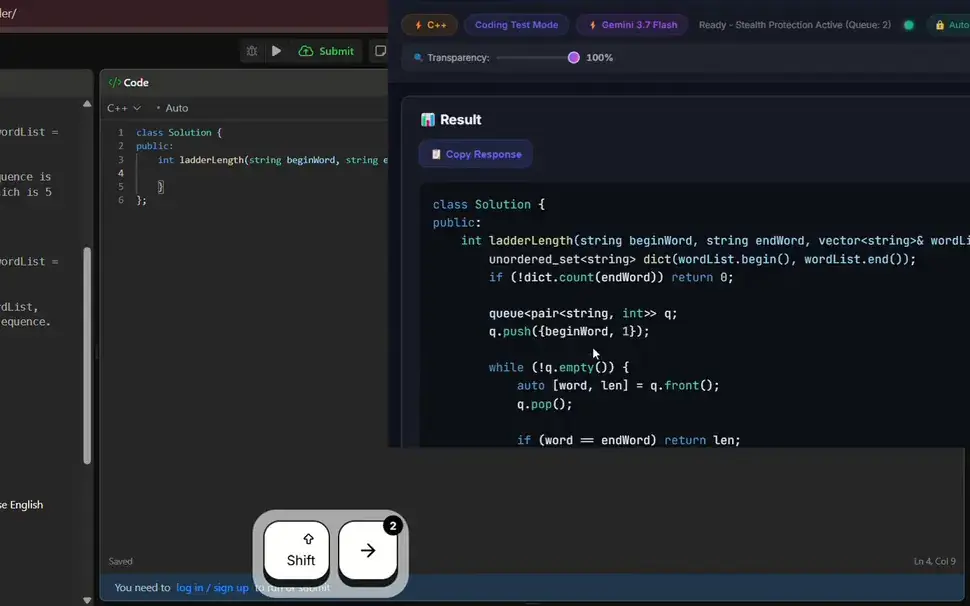
- Coding problems: CtrlShiftS captures the problem; press it again for each screen of examples and constraints (up to 20), then CtrlEnter. You get the approach, the time and space complexity, and the code in your language.
- Multiple choice: MCQ mode returns the right option from a capture.
- Typing it in: CtrlShiftT types the solution into the editor keystroke by keystroke with human timing instead of pasting it; F8 stops and CtrlShiftY resumes where it stopped.
Round 2: the phone or video screen
A recruiter or engineer asks about your background and a couple of technical questions. Interview mode transcribes the conversation and answers each question as it is asked, drawing on the resume, job description and extra context you set in Settings. Add custom instructions such as "answer in two sentences, then one example from my resume" to keep answers short enough to say aloud.
Round 3: live coding
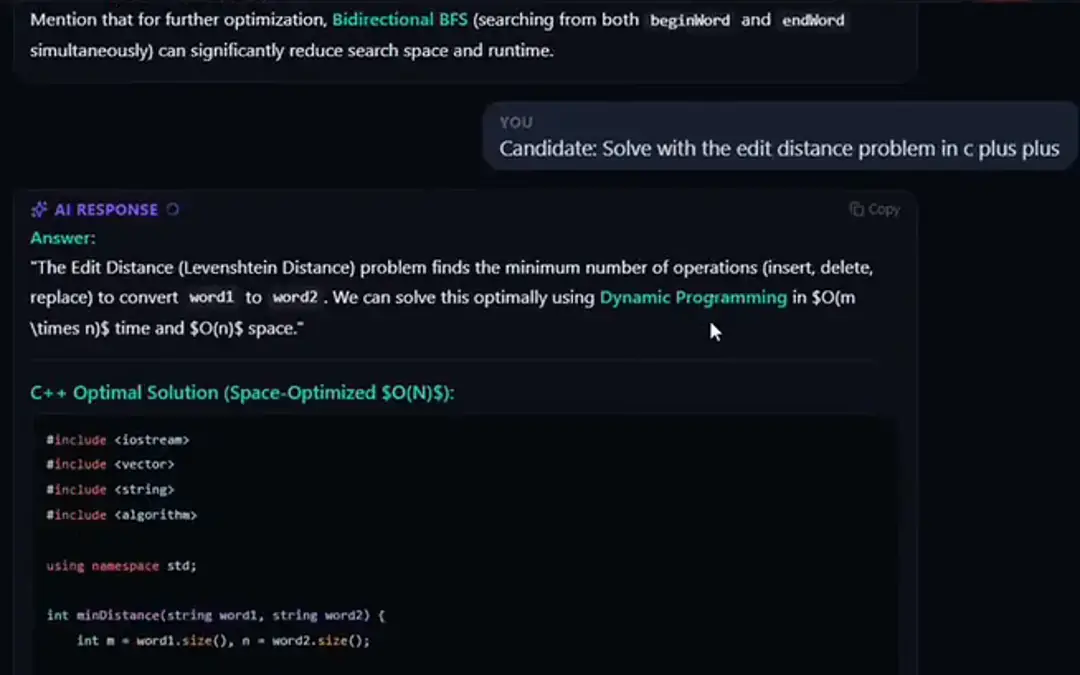
Live coding is where the conversation and the code overlap. Capture the problem in Coding Test mode, read the approach first, and talk it through before you write. When the interviewer asks "can you do better than O(n log n)?", Interview mode hears the question; the conversation keeps its context, so the follow-up builds on the solution you already have. CtrlR starts fresh for the next problem.
Round 4: system design
System design is a discussion, not a puzzle. Interview mode answers spoken prompts ("design a URL shortener", "how would you scale this to 10x traffic?") with a structured outline: requirements, estimates, components, data model, trade-offs. If a diagram is on screen, capture it in Query mode and ask about it. Switch to Claude Opus 5 or Fable 5 with CtrlShiftM for deeper reasoning on design trade-offs.
Round 5: behavioural
Behavioural rounds reward specific stories. Interview mode builds STAR-shaped answers from your own resume and extra context, such as the outage you handled or the migration you led, instead of generic templates. Use the answer as notes and tell the story in your own words.
Know the rules
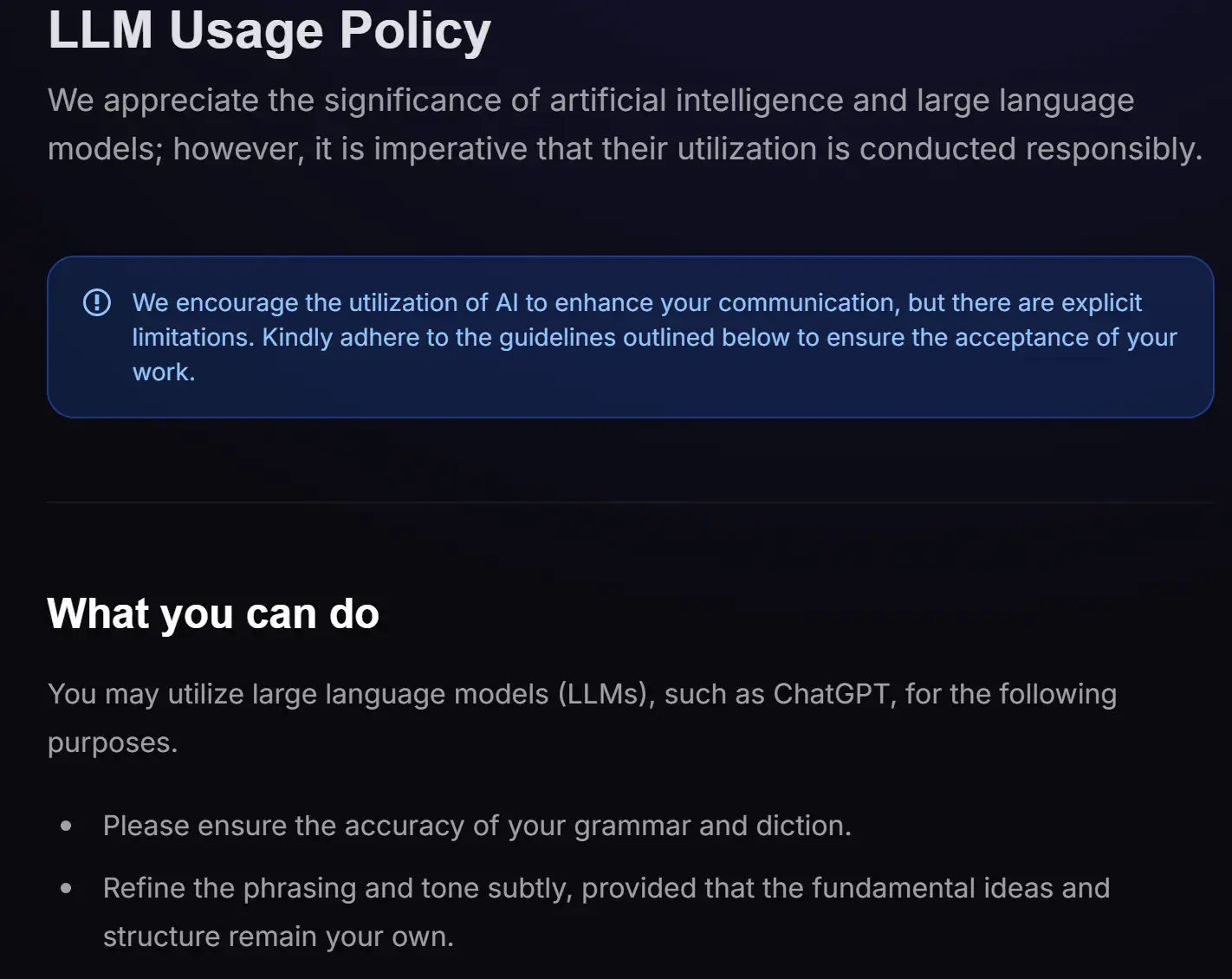
Policies on AI differ. Some hiring platforms publish what is allowed. Mercor's LLM policy, for example, lets candidates use language models to polish grammar and phrasing as long as the ideas are their own.
Most employers and assessment platforms prohibit outside help during the test itself. Read the instructions for each round.
Check the rules first
Most employers and assessment platforms prohibit outside help in their terms. Solvro keeps its window out of screen captures, but no tool can promise it will never be noticed, and breaking those rules can cost you an offer. Decide for yourself whether that risk is worth taking.
How engineers prepare with Solvro
- A week out: add your resume, the job description and a few project stories as extra context. Paste the job description into Query mode and ask for the likely technical topics.
- Practice: solve a few LeetCode problems in Coding Test mode, choose your default language, and learn the five main shortcuts.
- Rehearse: run a mock call with a friend; share your whole screen and check what they see.
- On the day: start Interview mode before you join, and keep the window faded beside your editor.
Solvro Pro covers Coding Test, MCQ and Query modes; Pro+ adds Interview mode and the Claude models.
| Plan | Price | Billing | What you get |
|---|---|---|---|
| Pro | $29/mo | Billed monthly ($29). | Gemini models, every mode except Interview |
| Pro (quarterly) | $19/mo | $57 billed every 3 months. | Same as Pro monthly |
| Pro+ | $49/mo | Billed monthly. | All five models, all four modes including Interview |
| Pro+ (quarterly) | $39/mo | $117 billed every 3 months. | Same as Pro+ monthly |
| Eternal Pass | $29/mo | $348 billed yearly. | All Pro+ features for a full year |
| Sprint Pass | $24 once | 7-day access. | All Pro+ features for 7 days, no subscription |
| Free trial | $0 | No card required | 10 AI answers and 10 minutes of Interview mode |
Prices in USD; customers in India are charged the rupee equivalent. Full details on the pricing section.
Frequently asked questions
Over 10, including Python, Java, C++, JavaScript, Go and more. Set your default in Settings or switch with Ctrl Shift L.
Yes. Interview mode answers spoken system design prompts with a structured outline, and Query mode explains diagrams you capture from the screen.
Solvro runs as a separate desktop app beside any assessment platform, including HackerRank, CodeSignal, LeetCode and CoderPad. Check each platform's rules before using it.
Yes: 10 AI answers and 10 minutes of Interview mode, with no card.