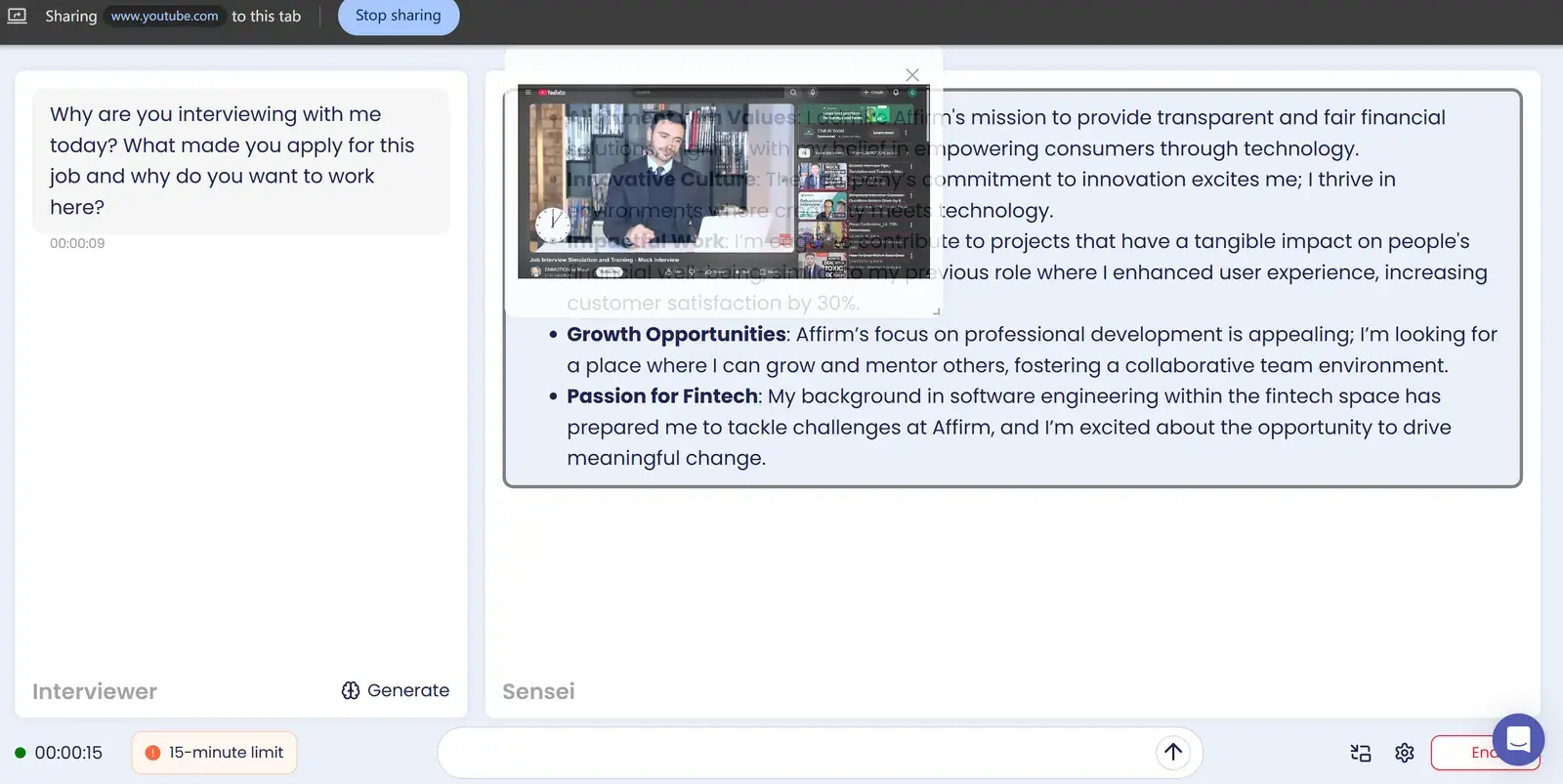
Solvro vs Sensei AI at a glance
| Solvro | Sensei AI | |
|---|---|---|
| Runs as | Desktop app for Windows and macOS | Web app in a browser tab |
| Live interview answers | Automatic, from system audio | Real-time speech recognition |
| Coding questions | Coding Test mode: up to 20 screenshots per question, 10+ languages, auto-typing | Coding Copilot |
| Multiple-choice tests | MCQ mode | General copilot |
| Personalisation | Resume, job description, extra context, custom instructions | Resume, stories, tone and response style, knowledge base add-ons |
| Spoken languages | English interviews | 30+ languages |
| Free option | 10 answers and 10 Interview minutes, no card | 15-minute copilot sessions |
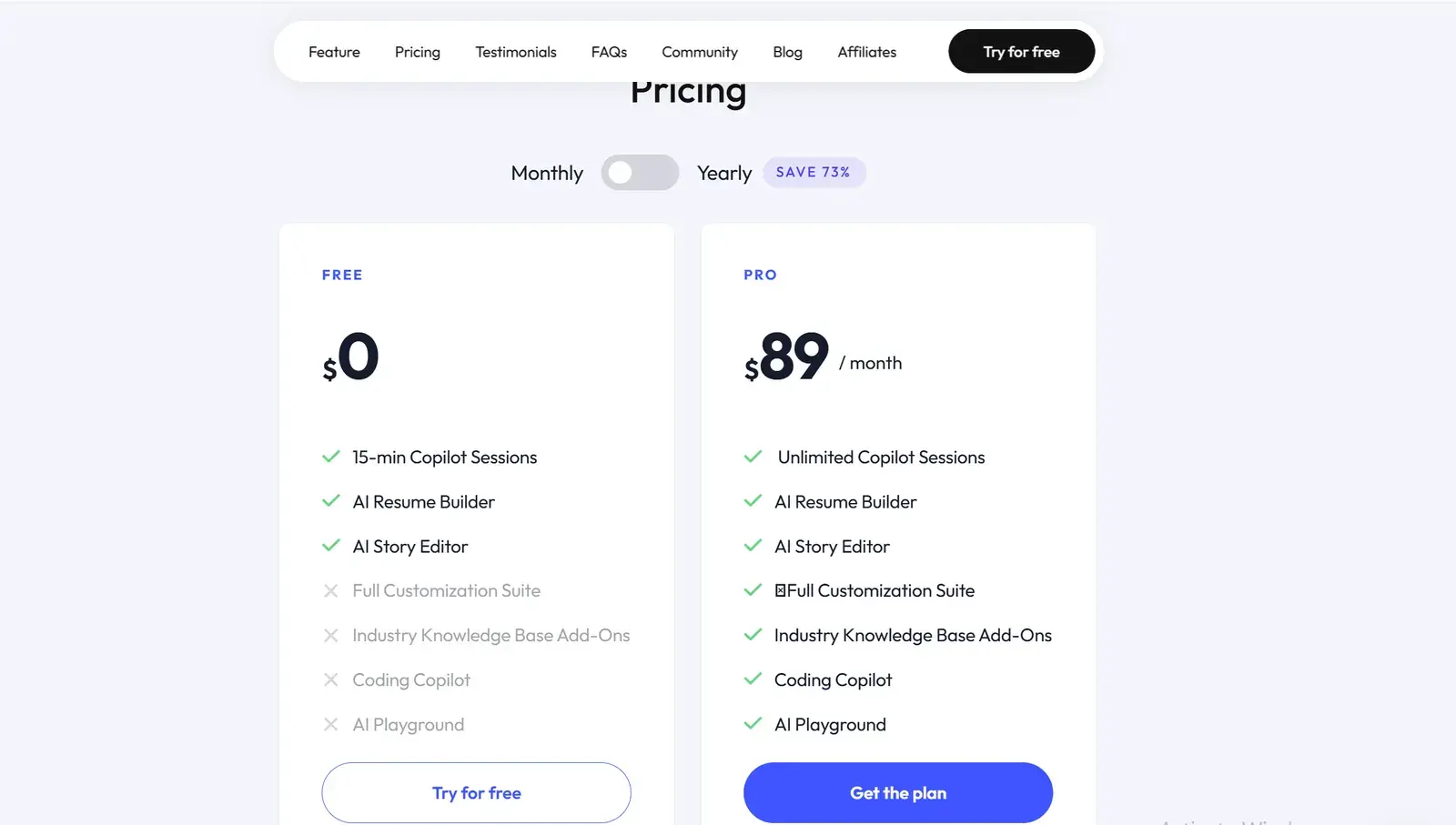
| Price | Pro+ $49 a month; Eternal Pass $348 a year; Sprint Pass $24 for 7 days | Pro $89 a month, or $24 a month billed yearly |
Where Sensei AI is strong
- Languages. More than 30, so it suits interviews that are not in English, where Solvro does not.
- Preparation tools. An AI resume builder and a story editor sit beside the copilot, and both are on the free plan.
- Control over style. You can set tone and response style in detail, and add industry knowledge bases.
- The yearly price. At $24 a month billed yearly ($288), Sensei AI Pro is one of the cheapest long plans in the category.
Browser tab or desktop app
Sensei AI runs in a browser tab beside your interview. That works well when you share only the meeting window or a single tab. If you have to share your entire screen, to walk through a notebook, a deck or a coding editor, a browser tab is part of what you share.
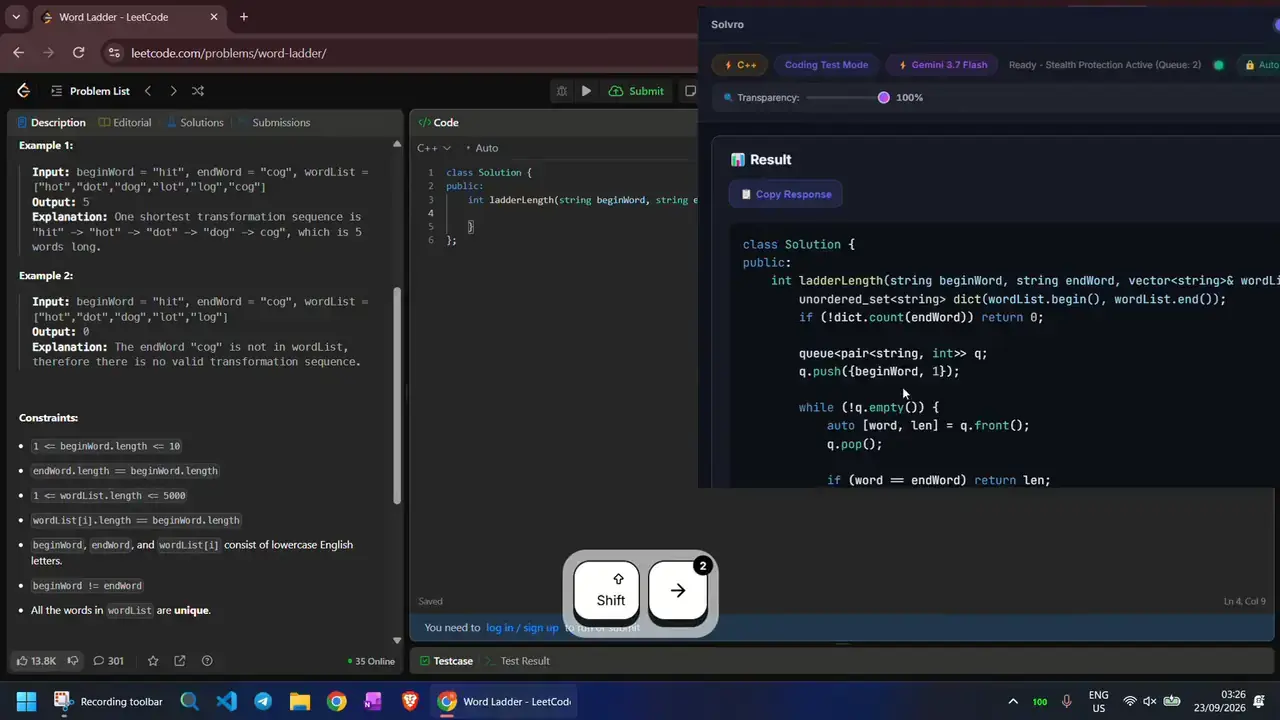
Solvro is a desktop window outside the browser. It sets the operating system's content-protection flag, which excludes its window from screen capture and recording, and it is driven by shortcuts: CtrlShiftS captures the screen, CtrlEnter sends, CtrlSpace hides or shows the window.
Coding rounds and online assessments
Sensei AI includes a Coding Copilot on Pro. Solvro's Coding Test mode is built around timed assessments and live coding: capture each page of a long problem into a queue (up to 20 screenshots), send them as one question, and get the approach, its complexity and the code in your chosen language. Auto-typing can then type it into the editor with human timing. MCQ mode handles the multiple-choice sections that many online assessments include. See AI online assessment assistants for how a full assessment works.
Price
| Your search | Solvro | Sensei AI |
|---|---|---|
| One interview week | $24 (Sprint Pass) | $89 (one month of Pro) |
| One month | $49 (Pro+) | $89 |
| Three months | $117 (Pro+, quarterly) | $267 monthly, or $288 for a year |
| A year | $348 (Eternal Pass) | $288 (Pro, yearly) |
For a short search, Solvro costs less. For a full year, Sensei AI's yearly plan is cheaper. Both have a free option, so try each on a practice call before paying.
| Plan | Price | Billing | What you get |
|---|---|---|---|
| Pro | $29/mo | Billed monthly ($29). | Gemini models, every mode except Interview |
| Pro (quarterly) | $19/mo | $57 billed every 3 months. | Same as Pro monthly |
| Pro+ | $49/mo | Billed monthly. | All five models, all four modes including Interview |
| Pro+ (quarterly) | $39/mo | $117 billed every 3 months. | Same as Pro+ monthly |
| Eternal Pass | $29/mo | $348 billed yearly. | All Pro+ features for a full year |
| Sprint Pass | $24 once | 7-day access. | All Pro+ features for 7 days, no subscription |
| Free trial | $0 | No card required | 10 AI answers and 10 minutes of Interview mode |
Prices in USD; customers in India are charged the rupee equivalent. Full details on the pricing section.
Our verdict
For most candidates, Solvro is the better choice, especially for technical roles and short searches.
- A desktop window excluded from screen capture, where Sensei AI is a browser tab.
- Coding Test and MCQ modes with auto-typing for coding rounds and online assessments.
- $49 a month or $24 for a week, against $89 a month.
Sensei AI may still suit you if your interviews are not in English, or you are committing to a full year.
Check the rules first
Most employers and assessment platforms prohibit outside help in their terms. Solvro keeps its window out of screen captures, but no tool can promise it will never be noticed, and breaking those rules can cost you an offer. Decide for yourself whether that risk is worth taking.
Competitor plans, prices and features are summarised from public product pages and reviews and change often; check each vendor’s own site before you buy. Product names are trademarks of their owners. Solvro is not affiliated with or endorsed by them.
Frequently asked questions
For most candidates, especially in technical roles and short searches, Solvro: a desktop window excluded from screen capture, Coding Test and MCQ modes with auto-typing, and $49 a month against $89. Sensei AI suits other languages and full-year plans.
Sensei AI has a free plan with 15-minute copilot sessions. Pro is $89 a month on monthly billing, or $24 a month billed yearly ($288).
Sensei AI runs as a web app in your browser. Solvro is a desktop app for Windows and macOS, kept out of screen captures by the operating system's content-protection flag.
Sensei AI Pro includes a Coding Copilot. Solvro has a dedicated Coding Test mode with up to 20 screenshots per question, answers in over 10 programming languages, an MCQ mode for assessments and auto-typing.
Sensei AI supports more than 30 languages. Solvro is built for interviews in English.
Solvro's free trial gives 10 AI answers and 10 minutes of Interview mode with no card. After that, the Sprint Pass is $24 for 7 days and Pro+ is $49 a month.