Real-time assistants come in three shapes. Web apps run in a browser tab, which is simple to start but awkward the moment you are asked to share your screen. Mobile apps sidestep the screen, but you end up glancing down at a phone. Desktop apps run as their own window beside the call, which is why most serious tools now ship one.
What makes a good real-time assistant
| Quality | Why it matters |
|---|---|
| Automatic question detection | You should not have to click anything while someone is talking to you. |
| Speed | An answer that arrives after the pause has become awkward is no answer at all. |
| Structured answers | Frameworks such as STAR keep a behavioural answer easy to follow while you speak. |
| Personal context | Your resume and the job description turn a generic answer into your own story. |
| Staying out of the way | A desktop window you can move, fade and control from the keyboard keeps your focus on the call. |
Here is the short version:
- Solvro: best for candidates who face both live interviews and coding tests.
- Parakeet AI: a fast desktop assistant with credit-based pricing.
- Final Round AI: a large prep platform with a desktop copilot.
- LockedIn AI: a feature-rich copilot on the web, in Chrome and on the desktop.
- Cluely: a general meeting assistant with interview features.
1. Solvro
Solvro is a desktop overlay for Windows and macOS with four modes: Interview, Coding Test, MCQ and Query. Interview mode transcribes the call's system audio as the interviewer speaks, detects the question, and returns a structured answer within seconds. Coding Test mode reads the problem from a screenshot instead, so the same app covers the technical round.
- Personal context: add your resume, the job description and your own instructions in Settings. Answers draw on them, so they sound like your experience.
- Models: switch between Gemini 3.7 Flash, Gemini 3.1 Pro, Claude Sonnet 5, Claude Opus 5 and Claude Fable 5 from inside the app.
- Control: every action has a shortcut you can reassign. CtrlSpace hides the window, CtrlShift] and CtrlShift[ change its opacity, and the arrow shortcuts move it.
- Out of the share: Solvro sets the operating system's content-protection flag, which excludes its window from screen capture and recording, and it runs outside the browser.
- Price: Interview mode is part of Pro+, at $49 a month or $39 a month billed quarterly. A $24 Sprint Pass covers a single interview week.
2. Parakeet AI
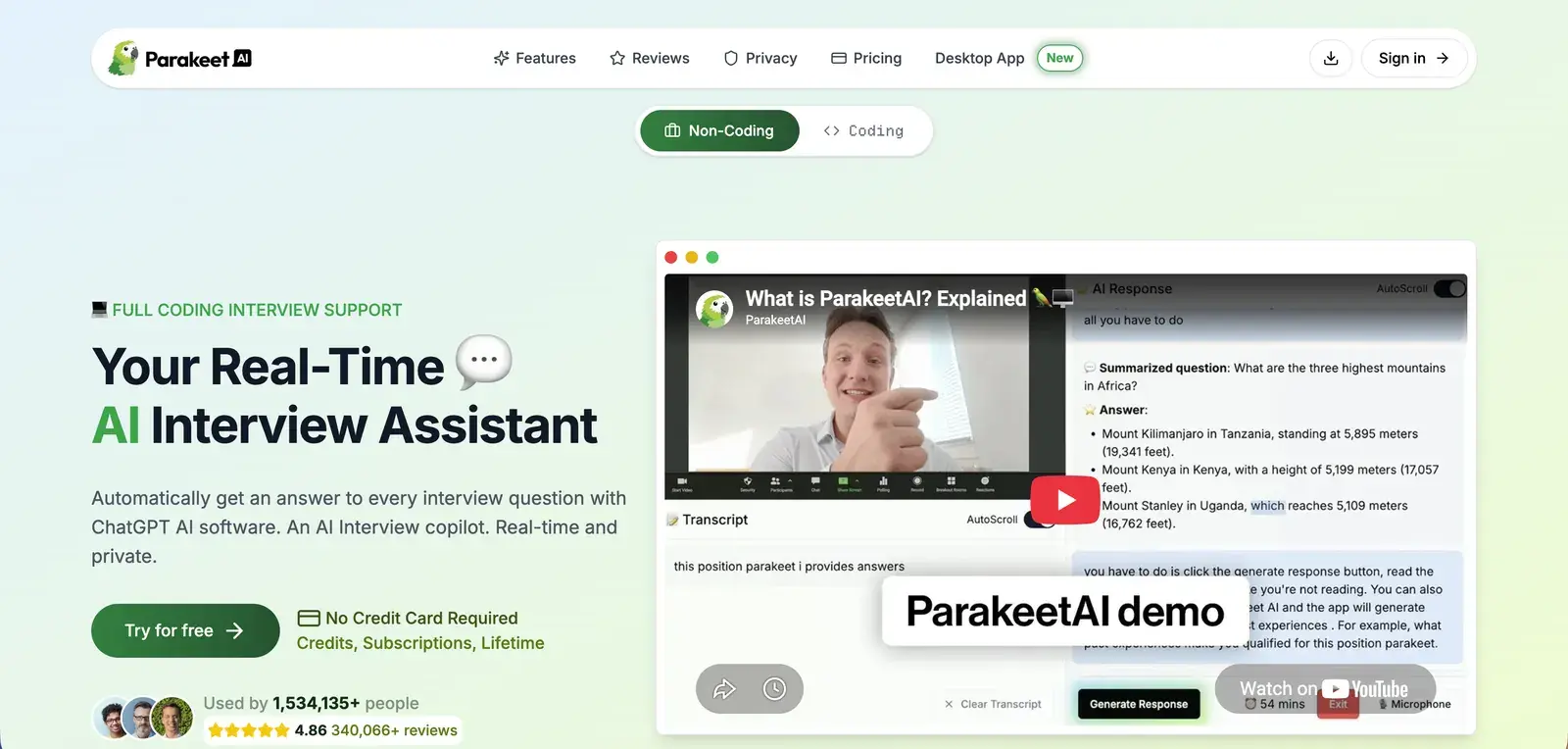
Parakeet AI is a desktop application, so it runs outside the browser and can stay out of a screen share. Question detection and answer generation are both quick. Turn on Auto Generate AI Response and it answers every question it detects; turn it off and it only answers when you click AI Help.
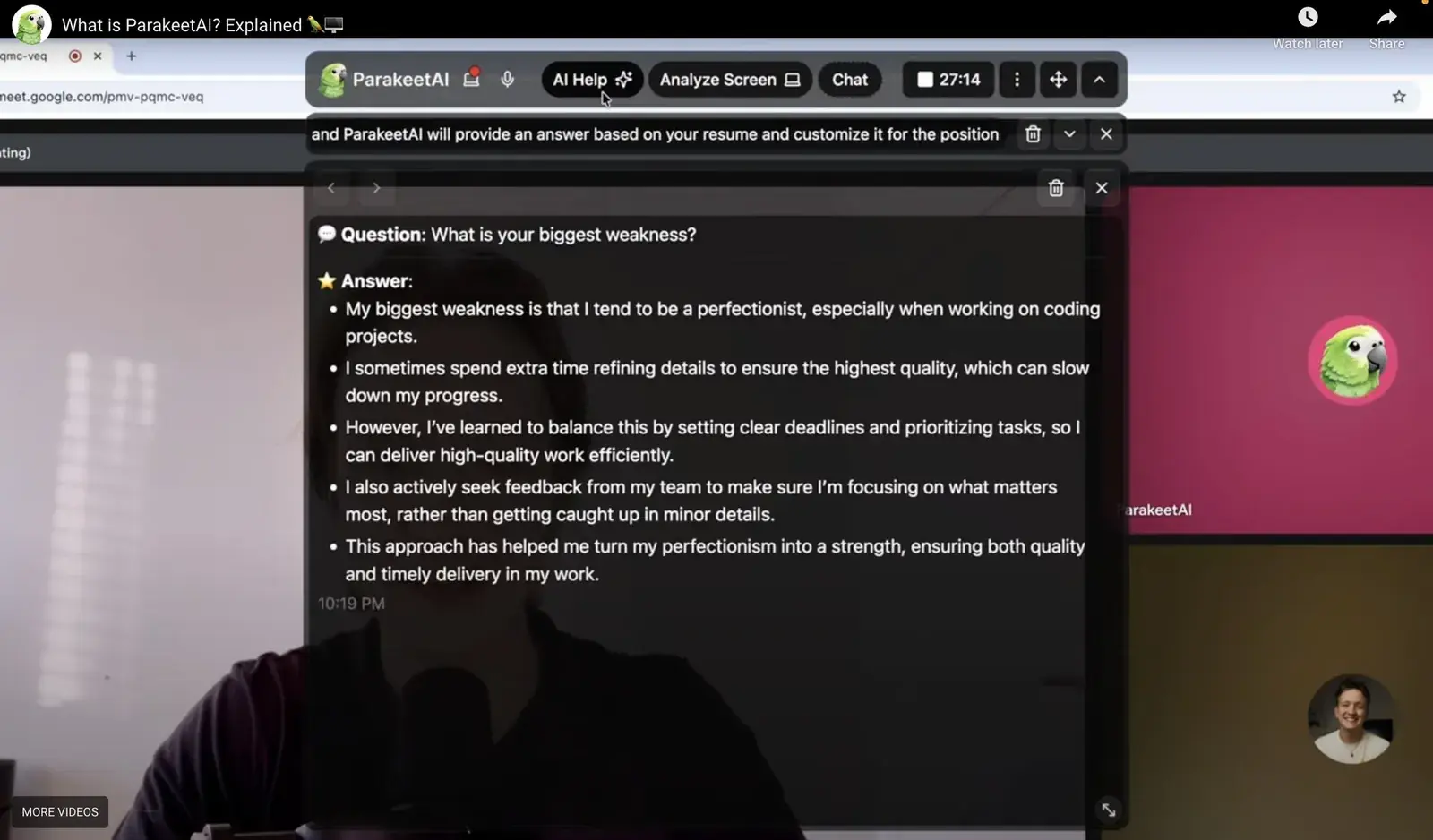
- Controls: everything is done with the mouse; there are no global hotkeys.
- Personal context: upload a resume and job description, pick the interview language, and add extra instructions. A Simple Language option keeps answers plain, and Save Transcript archives the session.
- Models: nine, from OpenAI, Anthropic and Meta.
- Zoom: you need to switch Zoom's screen capture mode to "Advanced capture with window filtering".
- Trial and price: a 10-minute free trial that can be restarted every 15 minutes; credits start at $59 for three one-hour calls, and the unlimited subscription is $149.90 a month. Read our Parakeet AI comparison for the plan details.
3. Final Round AI
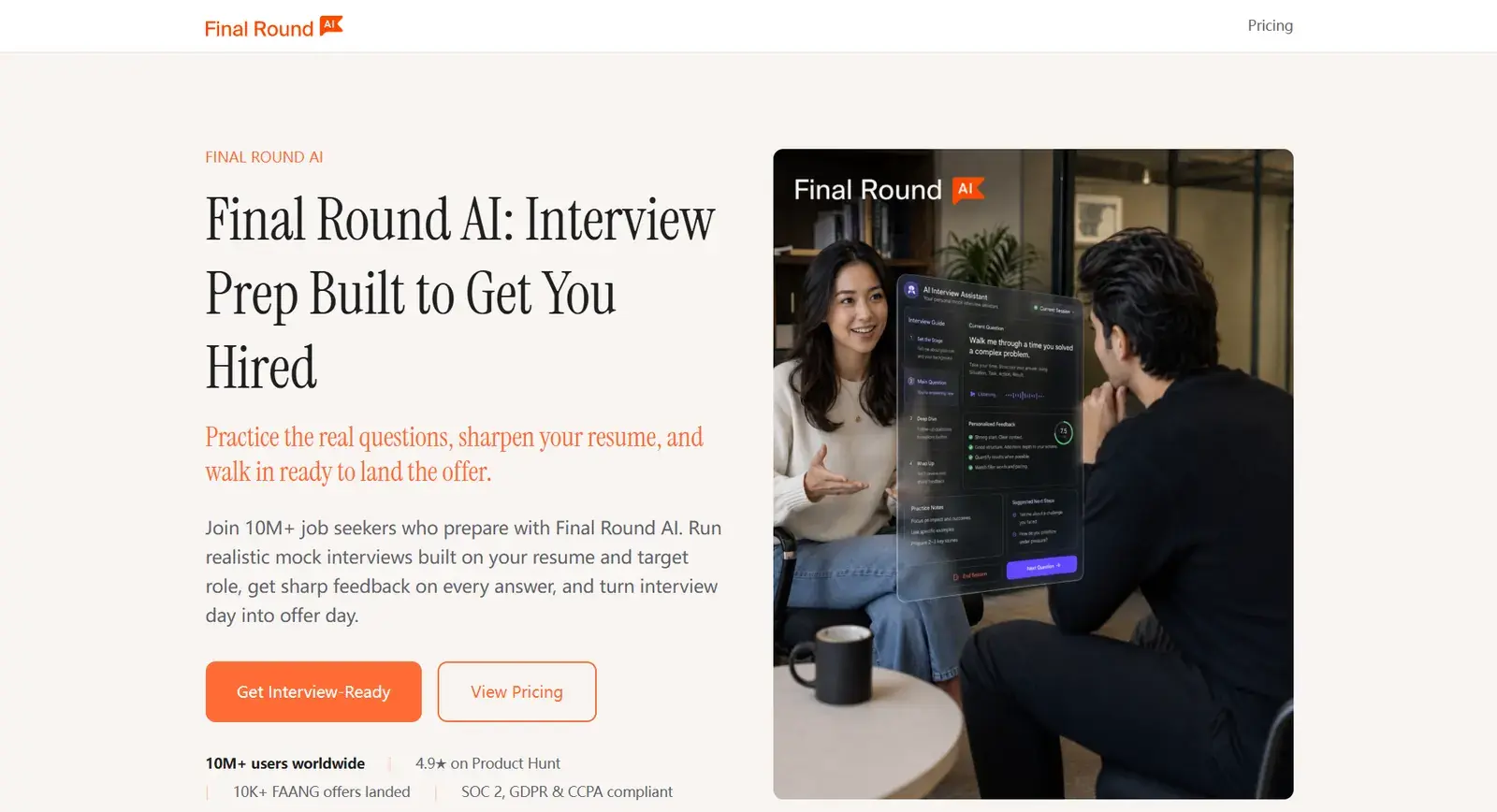
Final Round AI is a large prep platform: mock interviews, a resume builder and an interview copilot. Its copilot now runs in a desktop app for macOS and Windows, and Final Round is moving users off its older web app. The interface is clean and drops the transcript of your own replies, which leaves more room for the question and the answer.
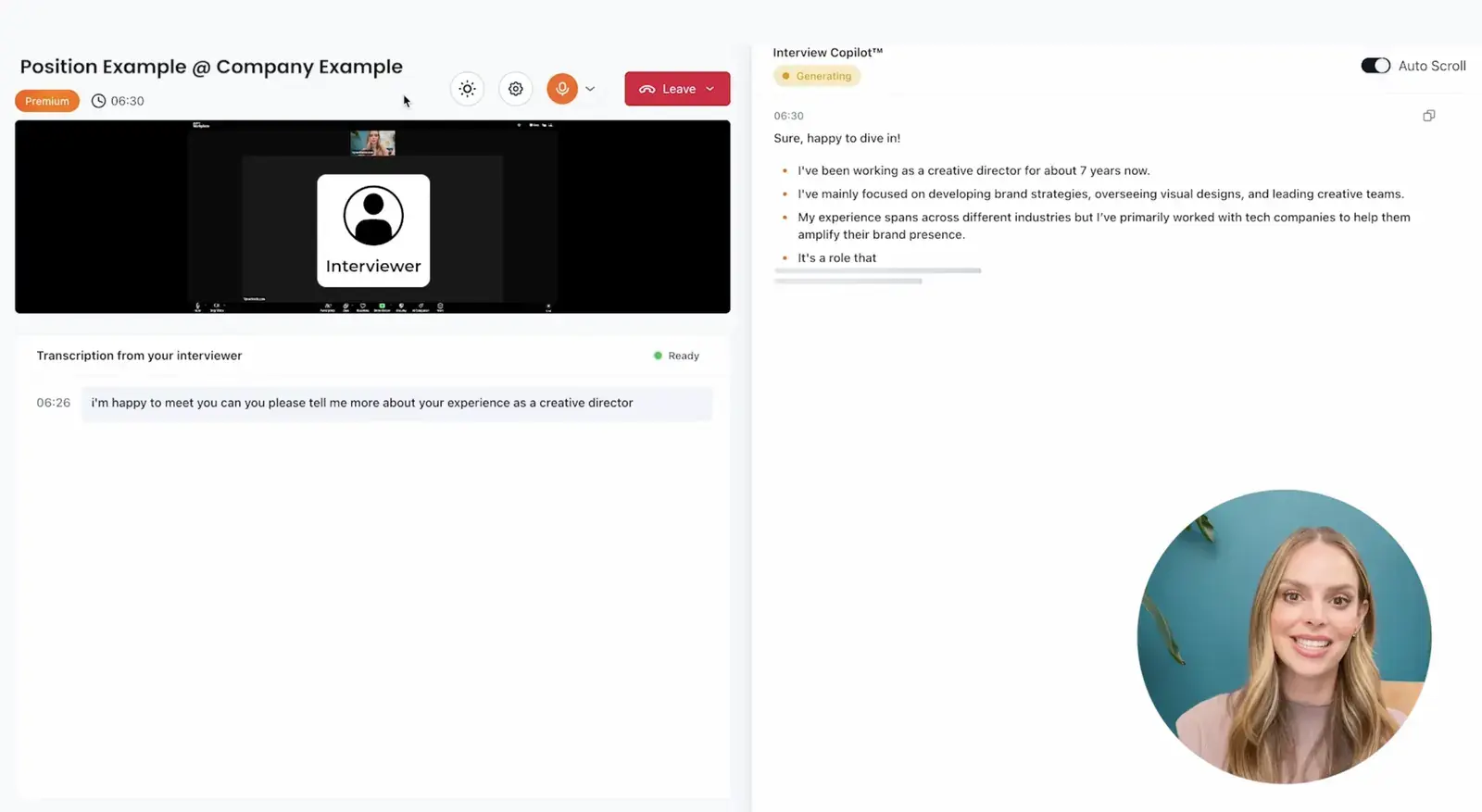
- Personal context: upload a resume and choose a role.
- Output controls: verbosity, transcription delay, temperature, and a format of bullets, paragraphs or short replies. No custom prompts.
- Models: eight, from OpenAI, Google and Anthropic.
- Trial and price: there is no free trial for live sessions; Pro is advertised from $25 a month on its longest plan and costs about $148 a month on monthly billing. See Final Round AI alternatives.
4. LockedIn AI
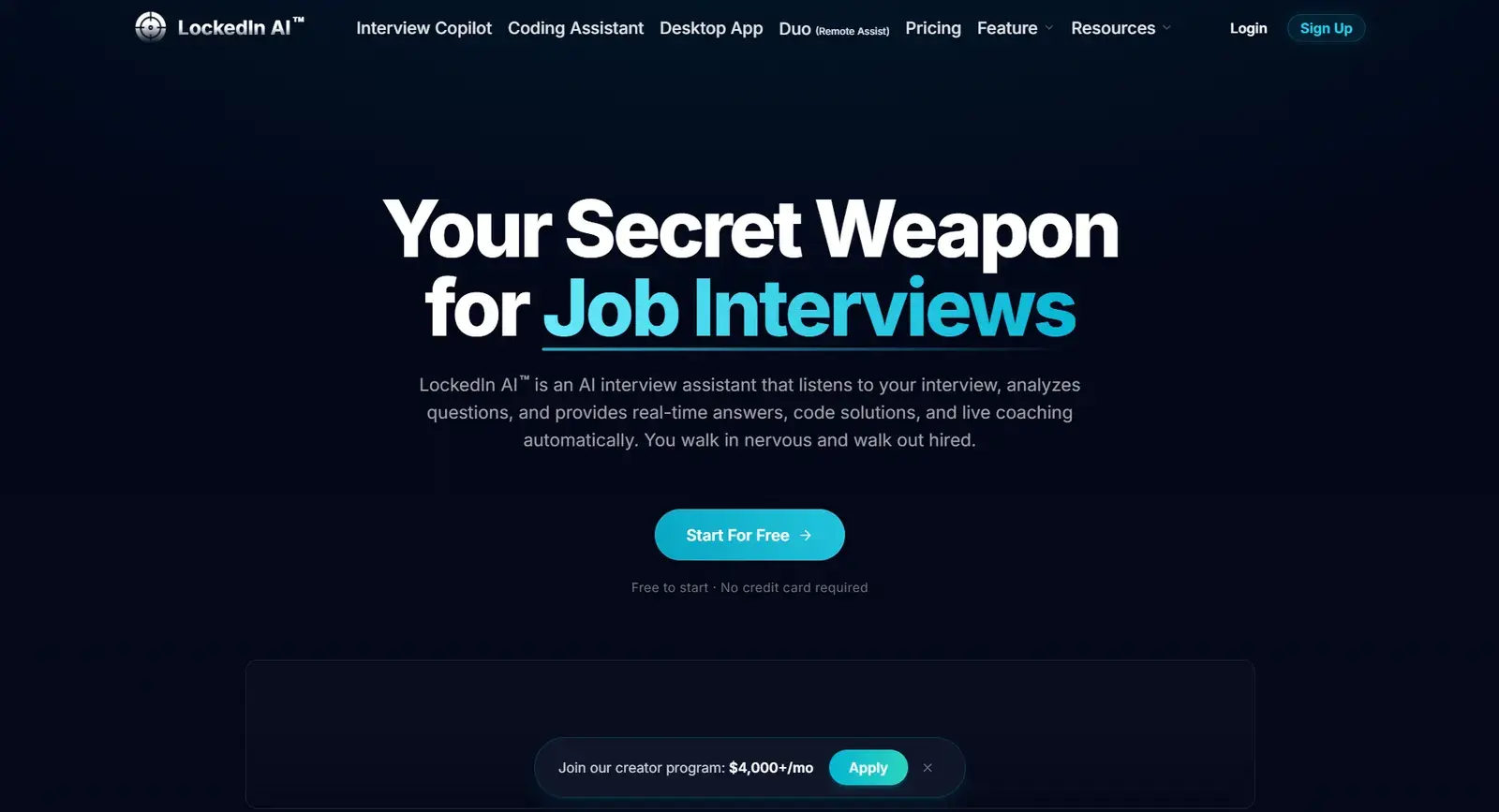
LockedIn AI runs as a web app, a Chrome extension or a desktop app. It transcribes the interviewer and answers in real time, with the interviewer's questions and its answers on the left and your own transcript on the right. In the web app you share the interview tab with it.
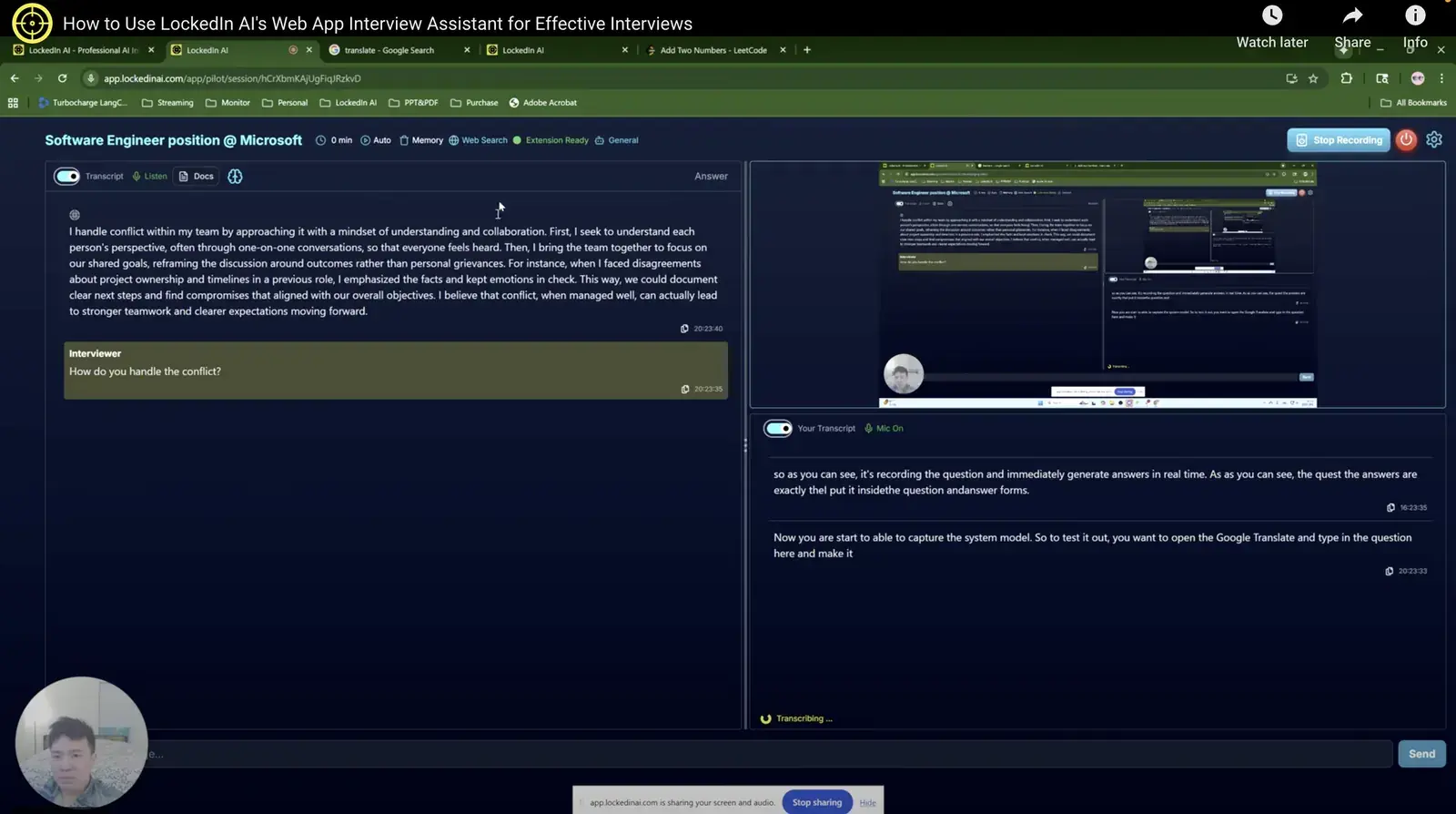
- Personal context: pick an industry, upload a resume and state your goals; choose the language and even the accent before you start.
- Output controls: answer length, processing time and word filters; font size, message order and auto-scroll in the session.
- Models: not stated, and you cannot choose one.
- Trial and price: a 10-minute trial; the General plan is $55 a month, or $40 a month billed quarterly. More in our LockedIn AI alternatives guide.
5. Cluely
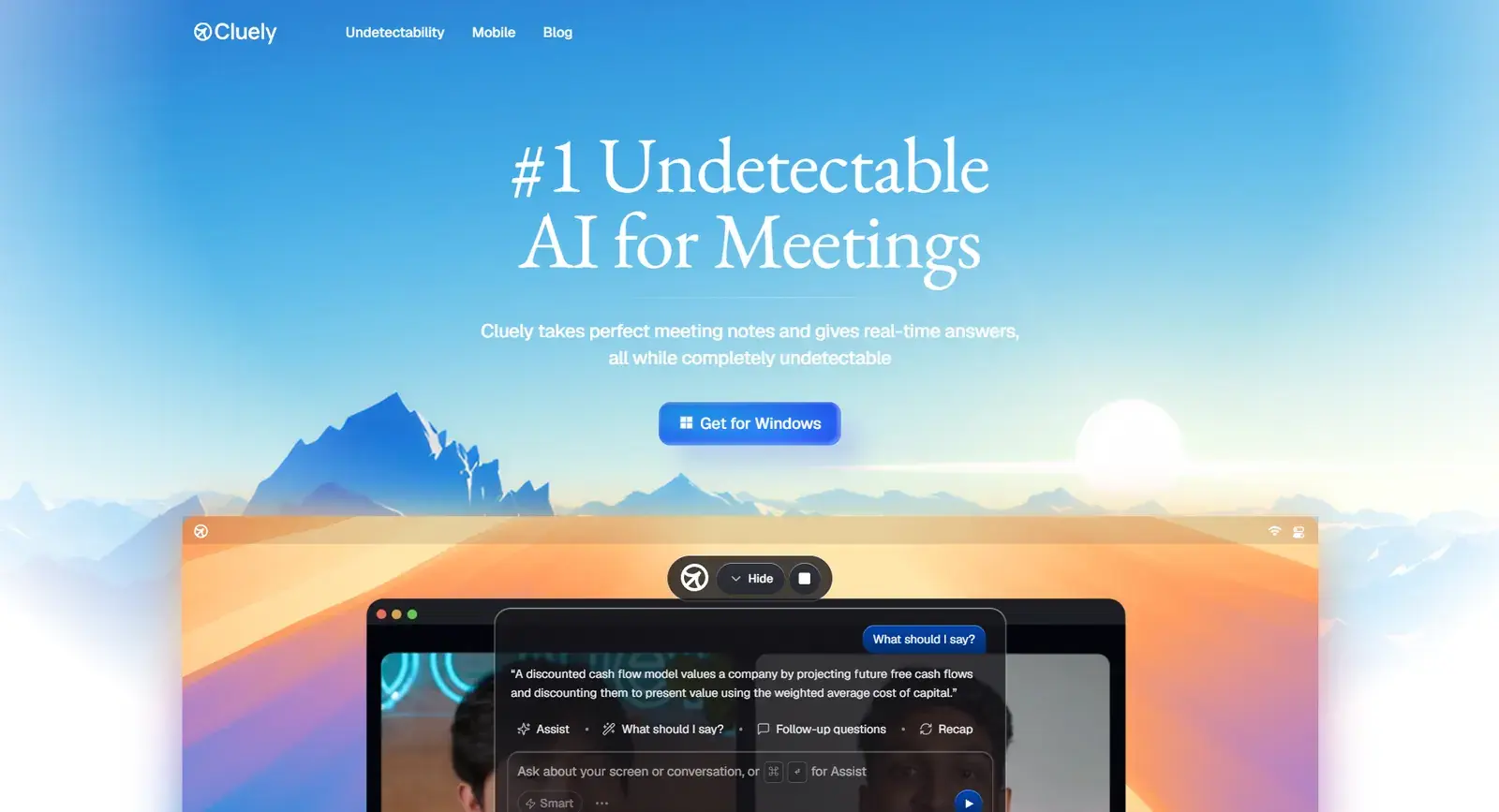
Cluely is mainly a meeting assistant that shows answers in a transparent floating window over your screen, with an interview mode on top. It works with Zoom, Microsoft Teams, Webex and Slack calls, supports more than 12 languages and offers nine models.
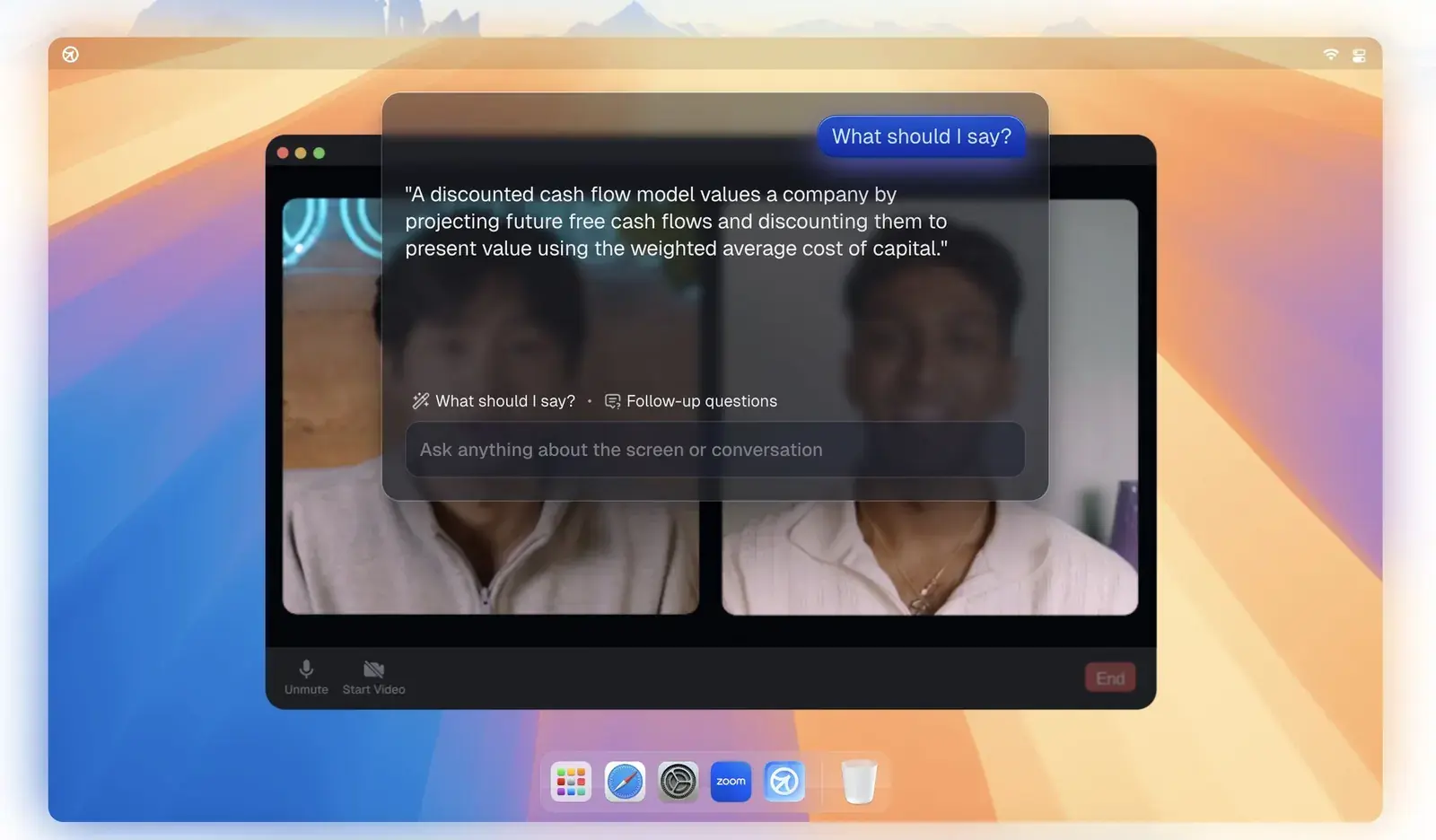
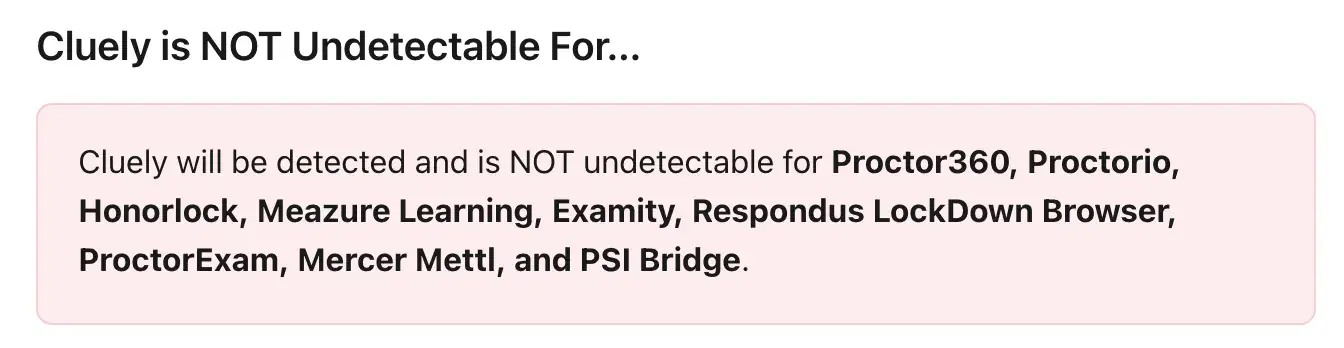
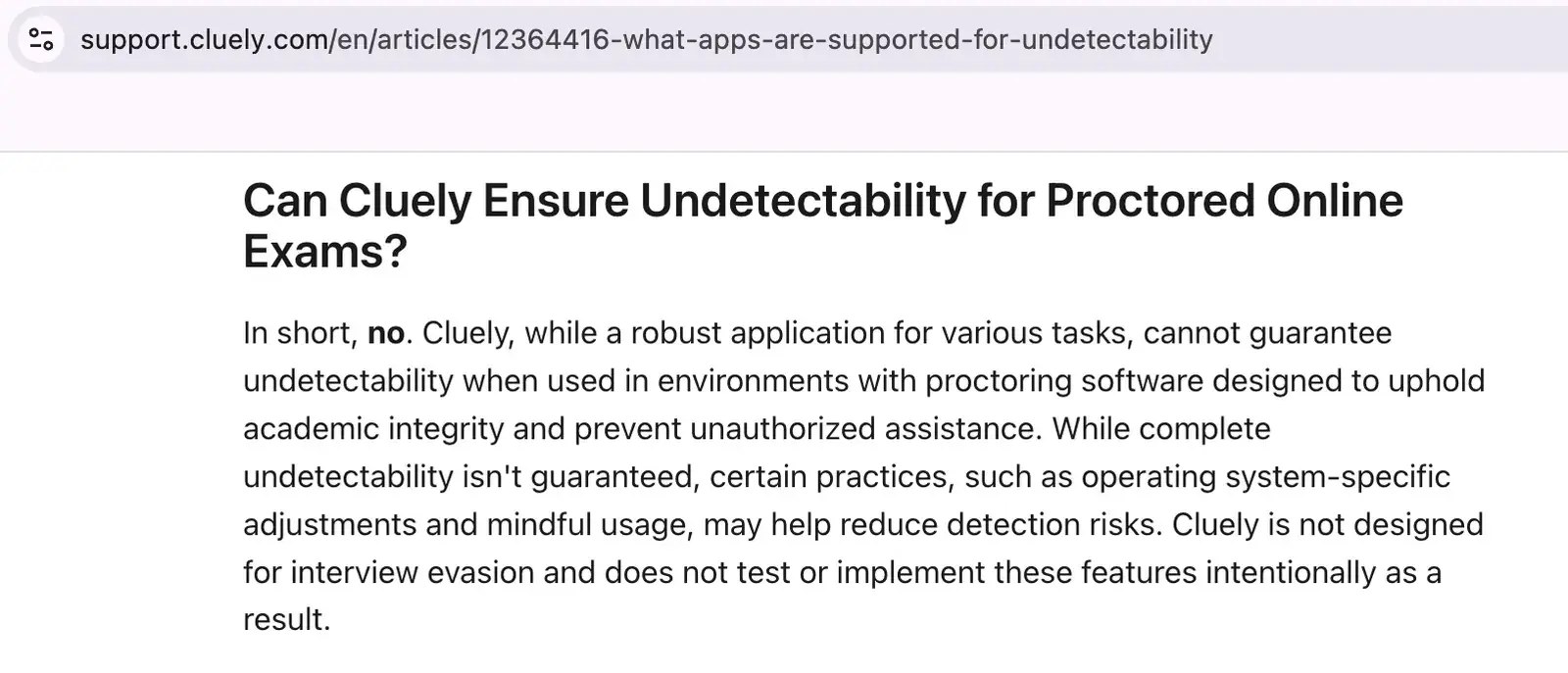
Cluely's own help pages are frank about its limits. They state that only its keyboard shortcuts are undetectable, that clicking inside Cluely during an interview is not, and that detection caused by clicks is not refundable. They also list proctoring tools it is not undetectable for, including Proctorio, Honorlock, Examity, Respondus LockDown Browser and PSI Bridge.
- Trial and price: the free plan and the $19.99 Pro plan leave out stealth; hiding from screen shares needs Pro + Undetectability at $149.99 a month. Compare it with others in our Cluely alternatives guide.
Side-by-side comparison
| Solvro | Parakeet AI | Final Round AI | LockedIn AI | Cluely | |
|---|---|---|---|---|---|
| Form | Desktop app | Desktop app | Desktop app | Web app, Chrome extension or desktop app | Desktop app |
| Detects questions and answers automatically | Yes | Yes | Yes | Yes | Yes |
| Resume and job description | Yes, plus custom instructions | Yes, plus instructions | Resume and role | Resume, industry, goals | Not interview-specific |
| Choose your model | 5 models | 9 models | 8 models | No | 9 models |
| Global hotkeys | Yes, reassignable | No | No | Yes | Yes |
| Coding tests from screenshots | Yes, Coding Test and MCQ modes | Coding mode | Separate tools | Coding assistant | General screen help |
| Free trial | 10 answers and 10 Interview minutes, no card | 10 minutes, repeatable | None for live sessions | 10 minutes | Paid for stealth mode |
| Lowest monthly price | $19 (Pro, quarterly); Interview mode from $39 | $149.90 (credits from $59) | From $25 on the longest plan; about $148 monthly | $40 (General, quarterly) | $19.99; $149.99 with stealth |
| Plan | Price | Billing | What you get |
|---|---|---|---|
| Pro | $29/mo | Billed monthly ($29). | Gemini models, every mode except Interview |
| Pro (quarterly) | $19/mo | $57 billed every 3 months. | Same as Pro monthly |
| Pro+ | $49/mo | Billed monthly. | All five models, all four modes including Interview |
| Pro+ (quarterly) | $39/mo | $117 billed every 3 months. | Same as Pro+ monthly |
| Eternal Pass | $29/mo | $348 billed yearly. | All Pro+ features for a full year |
| Sprint Pass | $24 once | 7-day access. | All Pro+ features for 7 days, no subscription |
| Free trial | $0 | No card required | 10 AI answers and 10 minutes of Interview mode |
Prices in USD; customers in India are charged the rupee equivalent. Full details on the pricing section.
Which one should you choose?
If your interviews are conversations and nothing else, any of the desktop tools will do the basic job; pick on price and on how much you value custom prompts. If your process mixes a live interview with an online assessment, as most technical hiring now does, Solvro covers both in one app and one set of shortcuts. Whatever you choose, run a practice call with a friend first, share your screen, and check what they can see.
Check the rules first
Most employers and assessment platforms prohibit outside help in their terms. Solvro keeps its window out of screen captures, but no tool can promise it will never be noticed, and breaking those rules can cost you an offer. Decide for yourself whether that risk is worth taking.
Frequently asked questions
It is an app that listens to the interviewer (or reads a question on your screen) during a live interview and shows you a suggested answer within seconds. Solvro does this in Interview mode, using your resume and the job description for context.
Desktop assistants such as Solvro read system audio and capture the screen themselves, so nothing needs sharing. Web apps, such as the browser version of LockedIn AI, need the interview tab shared with them.
Some can. Solvro has a Coding Test mode that solves a problem from a screenshot and an MCQ mode for multiple-choice tests, alongside Interview mode.
Lowest monthly rates run from about $40 to $150. Solvro Pro+ (which includes Interview mode) is $49 a month or $39 a month billed quarterly, and the Sprint Pass is $24 for 7 days.